EN
9
support01@wimius.com
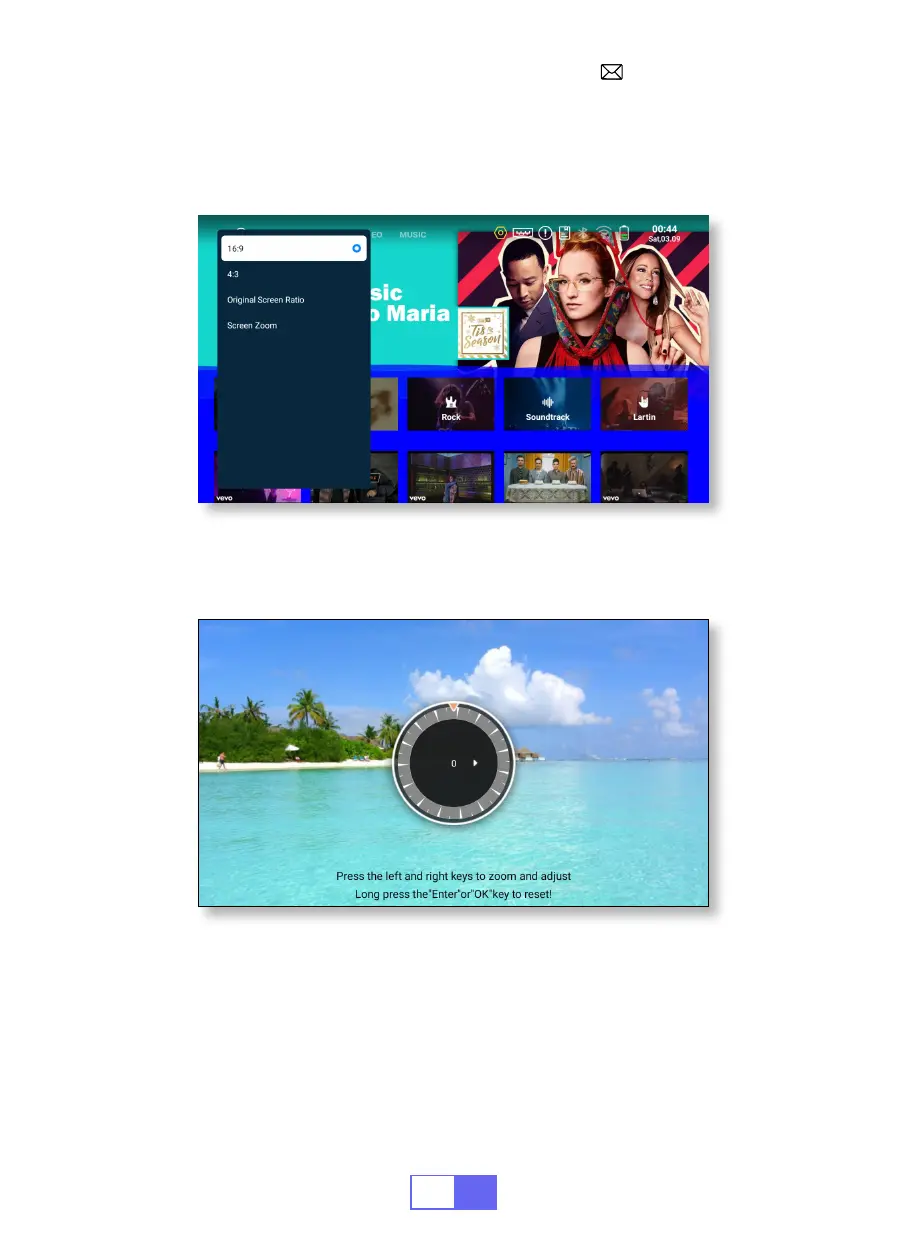
5.Zoom Mode
6.Brightness & Color Adjustment
There are 2 modes of Aspect Ratio: 16:9 or 4:3.
Select [Settings] menu -- Select [Display] -- Select [Screen Scaling] --
Select [Screen Zoom], the projection screen can be zoomed 50%~100%,
Press the button "
◀
" or "
▶
" to set the value needed.
Select [Settings] menu -- Select [ Display] -- Select [Brightness &
Colour], select the options you want to adjust.


 To Next Page