EN
13
support01@wimius.com
2.For Android System(Miracast)
Attention:
Your device and the projector should be in the same Home
WiFi.
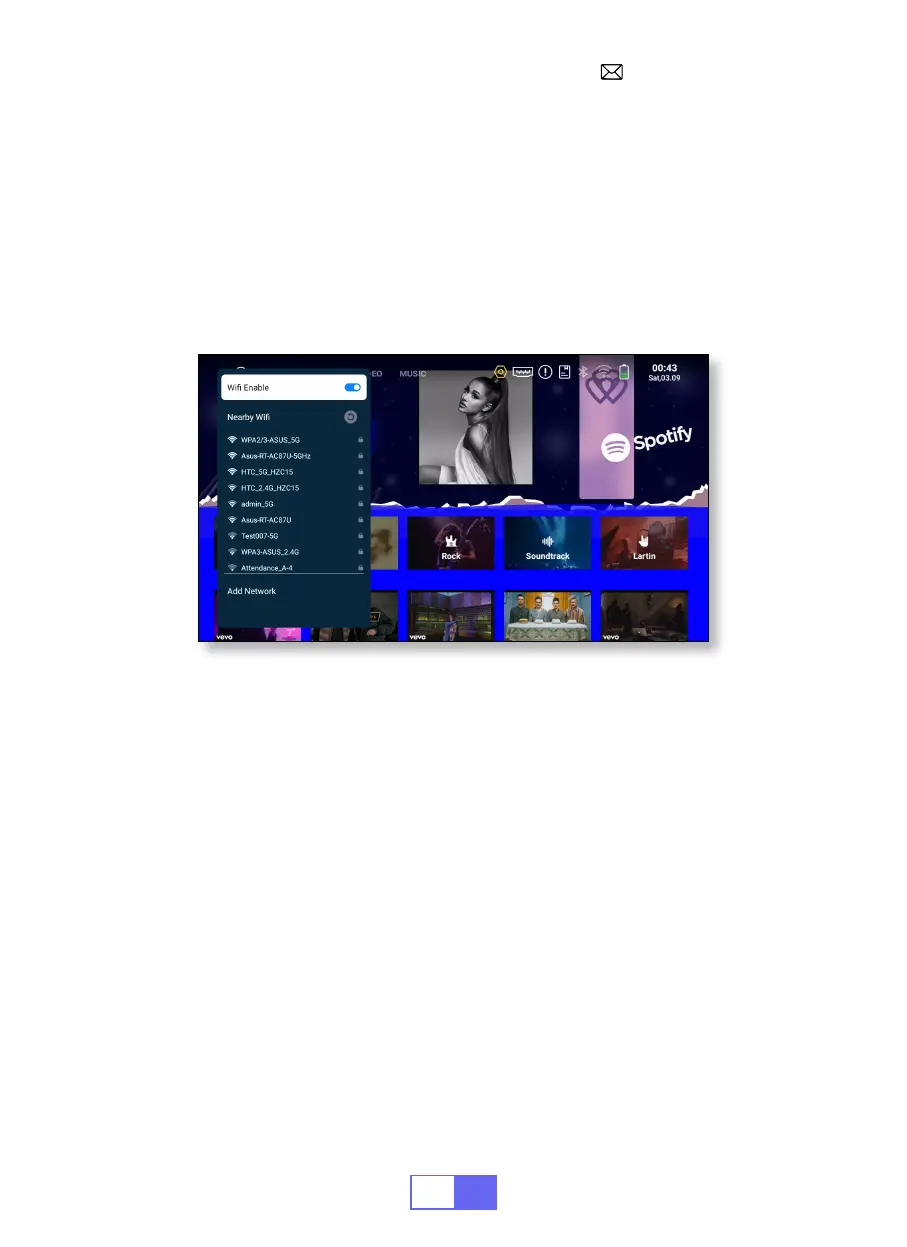
1. Turn on the Network setting of the projector.
2. Choose your Home WiFi to connect and enter the right password, then
click “OK”, please wait 3 seconds to establish the connection.
4. Click "APPS" on the homepage and select "Miracast Receiver" on the
page (or press the "E-share" button on the remote control and select
"Android Wireless").
5. Turn on the WiFi setting of your mobile device, then connect to the
same Home WiFi.
6. Turn on the wireless screen mirroring function of your Android phone
and select “Q3-7817” from the search results to connect.
7. Succeed.
3 seconds to establish the connection. Once connected, it will remember
the password of the connected WiFi.
4. Turn on the Wi setting of your mobile device, then connect to the same
Home Wi.
5. Then click"Airplay" or"Miracast" on the smartphone.
6. Select"Q3-7817" from the search results to connect.
7. Succeed.


 To Next Page