EN
19
support01@wimius.com
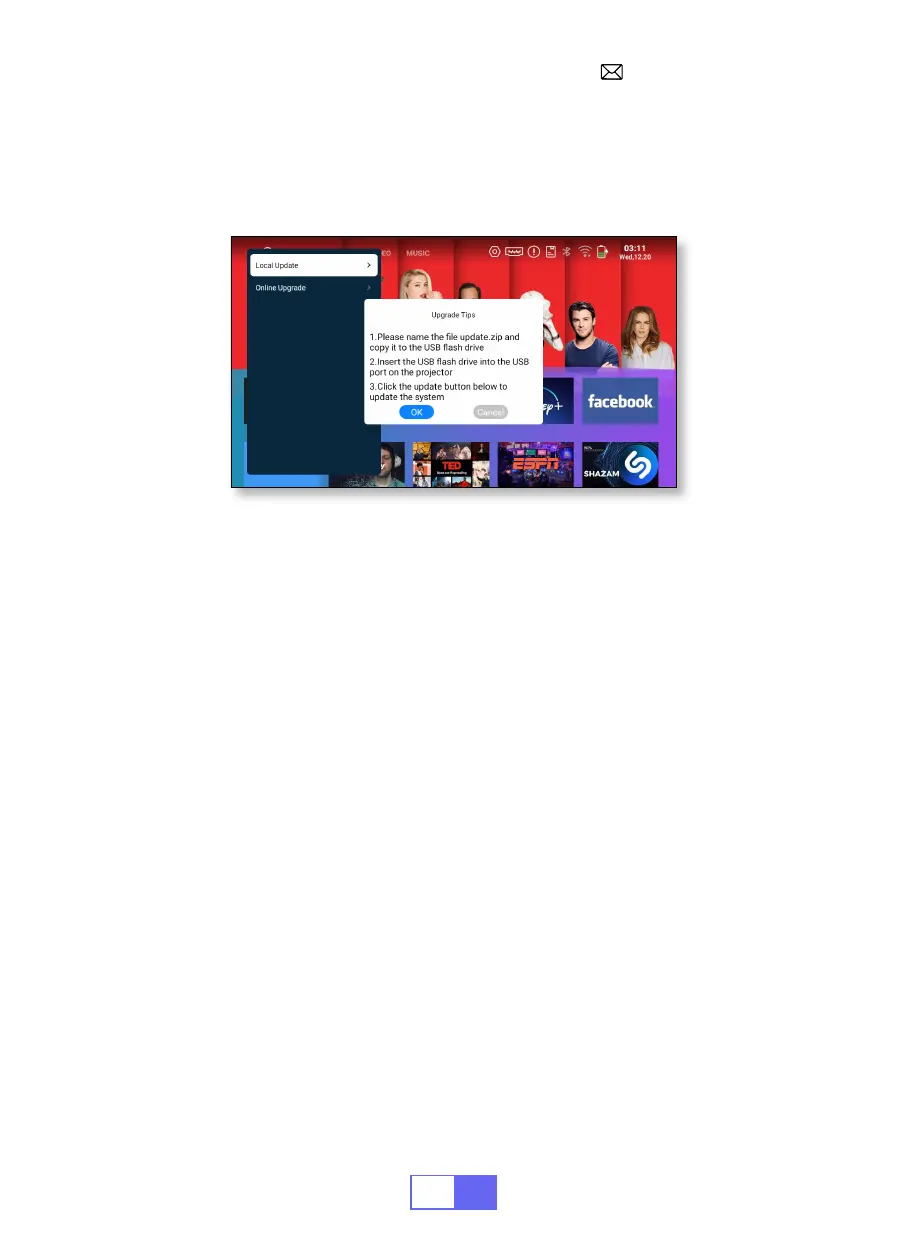
When new software is available for upgrade, you can choose local
upgrade or online upgrade.
SYSTEM UPGRADE
FAQ
1.There is no image on the black screen or a blue screen with no picture or
sound.
a.Is the channel set-up correct?
b.Is there an input signal?
c.Is the input cable plugged well?
d.Under PC mode, is the refresh rate > 75KHz?
e. The input device doesn't connect well with the projector.
2.Picture right, no sound.
a.Please turn off the Dolby of the input device, and then it will have sound.
b.The decoding system of the video is not supported by the projector.
3.Auto-off after working for a while.
a.The projector ventilation is blocked.
b.The voltage is not stable.
c.The over-heat protection system.
4.WiFi connection is not stable?
a.Please check whether the network of your phone is well.
b.Make the distance of the phone and projector within 1 meter.
5.Not compatible with your Bluetooth speaker?


 To Next Page