EasyManua.ls Logo

Winegard SK-1000 - User Manual

Winegard SK-1000
8 pages
Print Icon
To Next Page IconTo Next Page
Loading...
TRAV’LER
®
Automatic Multi-Satellite TV Antenna
Models
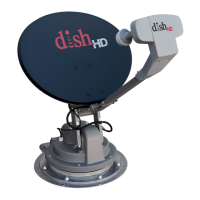
SK-1000 DISH 1000
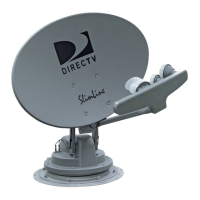
SK-3003 DIRECTV TRIPLE FEED
OPERATION MANUAL
Made in the U.S.A.
Winegard Company • 3000 Kirkwood St. • Burlington, IA 52601-2000
319/754-0600 • FAX 319/754-0787 • www.winegard.com
Printed in U.S.A. © Winegard Company 2007 2452150 Rev. 10/08
WINEGARD
®
SK-3003 SK-1000
PRODUCT REGISTRATION
Please register your Winegard product by lling
out and returning the Product Registration card
provided or by completing the online registration
form at http://www.winegard.com/registration
Serial No.

Other manuals for Winegard SK-1000

Questions and Answers

  • D
    donnajohnsonSep 10, 2025
    What to do if Winegard SK-1000 shows 'STOW FAILURE ANT NOT STOWED'?
    • P
      perryfernandoSep 10, 2025
      If your Winegard TV Antenna fails to stow and displays 'STOW FAILURE ANT NOT STOWED', do not move the vehicle. Attempt to stow the Trav’ler again. If it continues to fail, inspect for any obstructions that may be preventing the stowing process.
  • J
    Jonathan BraunAug 22, 2025
    What to do if Winegard SK-1000 TV Antenna stow failure ant not stowed?
    • M
      Maria JamesAug 22, 2025
      If your Winegard TV Antenna stow failed because the antenna is not stowed, try stowing it again. If it fails again, check for obstructions that may be preventing it from stowing properly.
  • B
    Bryce GeorgeAug 25, 2025
    How to fix Winegard SK-1000 TV Antenna connection failed?
    • T
      Tonya WilsonAug 25, 2025
      If the Winegard TV Antenna connection failed, check the data cable connection on the back of the TRAV’LER interface box to ensure it is properly connected.
  • H
    hayesjenniferAug 26, 2025
    Why El home failure on Winegard TV Antenna?
    • K
      Kelsey KennedyAug 27, 2025
      If you are experiencing an EL HOME failure with your Winegard TV Antenna, it means something is preventing the TRAV’LER mount from raising to find the HOME position. Look for any obstructions, especially if the unit was recently manually raised or the electronics were replaced. It may be necessary to reset the calibration.
  • D
    Darren DavidsonAug 27, 2025
    What to do if Winegard SK-1000 not receiving 99 and 103?
    • J
      John TorresAug 27, 2025
      If your Winegard TV Antenna is not receiving 99 and 103, make sure the B-Band Converter is installed.
  • N
    Nicole StephensAug 29, 2025
    What to do if Winegard SK-1000 stow failure stow unknown?
    • M
      Mr. William DonovanAug 29, 2025
      If your Winegard TV Antenna stow failed and the stow status is unknown, check the data cable connection on the back of the TRAV’LER interface. Ensure it is properly connected.
  • A
    Aaron VasquezSep 18, 2025
    What to do if Winegard SK-1000 SK motor is stalled?
    • M
      Michael KirbySep 18, 2025
      If your Winegard TV Antenna's SK motor is stalled, something is preventing the TRAV’LER reflector and LNBF from rotating. Look for any obstructions. If there are no obvious obstructions, further assistance is needed.
  • J
    James MurphySep 12, 2025
    What to do if my Winegard SK-1000 TV Antenna shows 'EL HOME FAILURE'?
    • N
      nicholaswoodSep 12, 2025
      If the Winegard TV Antenna displays 'EL HOME FAILURE', something is likely preventing the TRAV’LER Mount from raising to find the HOME position. Inspect for any obstructions, especially if the unit was recently manually raised or the electronics have been replaced.
  • T
    Tina BentonSep 8, 2025
    What to do if my Winegard TV Antenna stow failed and is not stowed?
    • V
      Vicki OliverSep 8, 2025
      If the Winegard TV Antenna stow failed and is not stowed, try to stow the Trav’ler again. If it fails again, check for obstructions.
  • C
    christiekramerSep 5, 2025
    What to do if my Winegard SK-1000 TV Antenna connection failed?
    • B
      brownwhitneySep 5, 2025
      If the Winegard TV Antenna connection fails, check the data cable connection on the back of the Trav’ler Interface to ensure it is properly connected.

Summary

Winegard TRAVLER Antenna Models

SK-3003 DIRECTV TRIPLE FEED Operation Manual

Manual for the SK-3003 DIRECTV Triple Feed antenna model.

SK-1000 DISH 1000

Information on the SK-1000 DISH 1000 antenna model.

Product Registration

Introduction and System Overview

Manual Icon Meanings

Explanation of icons used for information and tips in the manual.

Warranty and Contact Information

Details for Winegard warranty claims and technical support contact.

Disclaimer and Trademarks

Legal disclaimers and trademark acknowledgments for various brands.

TRAVLER Operation: Automatic Search

Starting the Search Process

How to power on the unit and begin the satellite search sequence.

Interface Status Displays

Describes on-screen messages indicating dish type and search progress during operation.

TRAVLER Travel Stowage and Manual Mode Access

Stowing the Unit for Travel

Instructions to properly stow the antenna when preparing the vehicle for movement.

Entering Manual Search Mode

Guide to access the User Menu and select Manual Search Mode.

Manual Satellite Selection and Emergency Procedures

Manual Satellite Selection Steps

Process to cycle through satellites and confirm selection in manual mode.

Emergency Power Off Functionality

Instructions for emergency power off and associated safety warnings.

ExpressVU System Configuration

Installation Menu for ExpressVU

Steps to enter the installation menu and set up the antenna for ExpressVU.

Confirming ExpressVU Setting

How to verify the antenna is correctly configured for ExpressVU.

Troubleshooting Common Issues

Error Code Solutions

Provides solutions for specific error codes like connection, motor, and power failures.

Acquisition Factors and Notes

Key factors affecting satellite acquisition, including weather and obstructions.

Winegard SK-1000 Specifications

General IconGeneral
BrandWinegard
ModelSK-1000
CategoryTV Antenna
LanguageEnglish

Related product manuals