AUTO & SLEEP
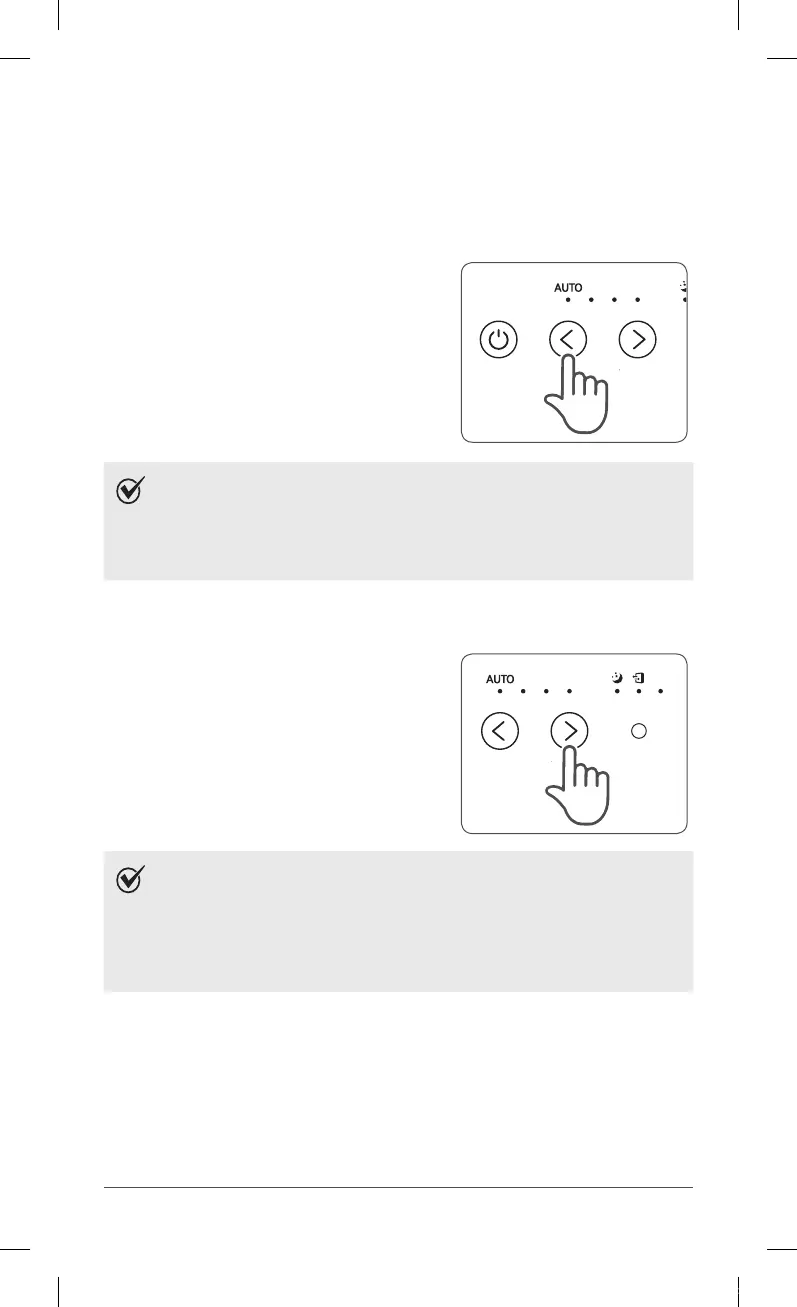
1. Auto Mode
Enables auto operation based on the unit's air quality Particle Sensor.
①
Press the Fan speed (UP/DOWN) button to
select Auto mode.
ˍ
The LED ‘Auto’ light will indicate when
Auto mode is activated, and operation
will begin.
NOTE
ˍ
When in Auto mode the fan speed is automatically adjusted
according to the indoor air quality. As the indoor air quality
improves, the fan speed will automatically be reduced.
If the indoor air quality decreases, the fan speed will
automatically increase.
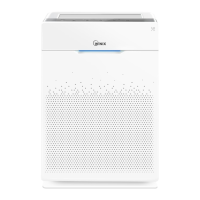
2. Sleep Mode
①
Press the Fan speed (UP/DOWN) button to
select Sleep mode.
ˍ
The LED ‘Sleep‘ light will indicate when
Sleep mode is activated, and operation
will begin.
NOTE
ˍ
When Sleep mode is selected, the fan speed is automatically
set to Low. The fan speed can be manually changed by
pressing the Fan Speed button, changing the unit into
manual mode.
ˍ
When Sleep Mode is activated, the Air Quality Indicator LED
light is disabled.
ZERO-N.indb 12 2018-04-26 오후 5:38:55



 To Next Page