This product comes with all required filters. The protective plastic wrap must be
removed from the filter before use.
※
Operating the unit without removing the plastic wrap may result in product
failure.
※
Unplug and make sure the unit is turned off before installing filter.
①
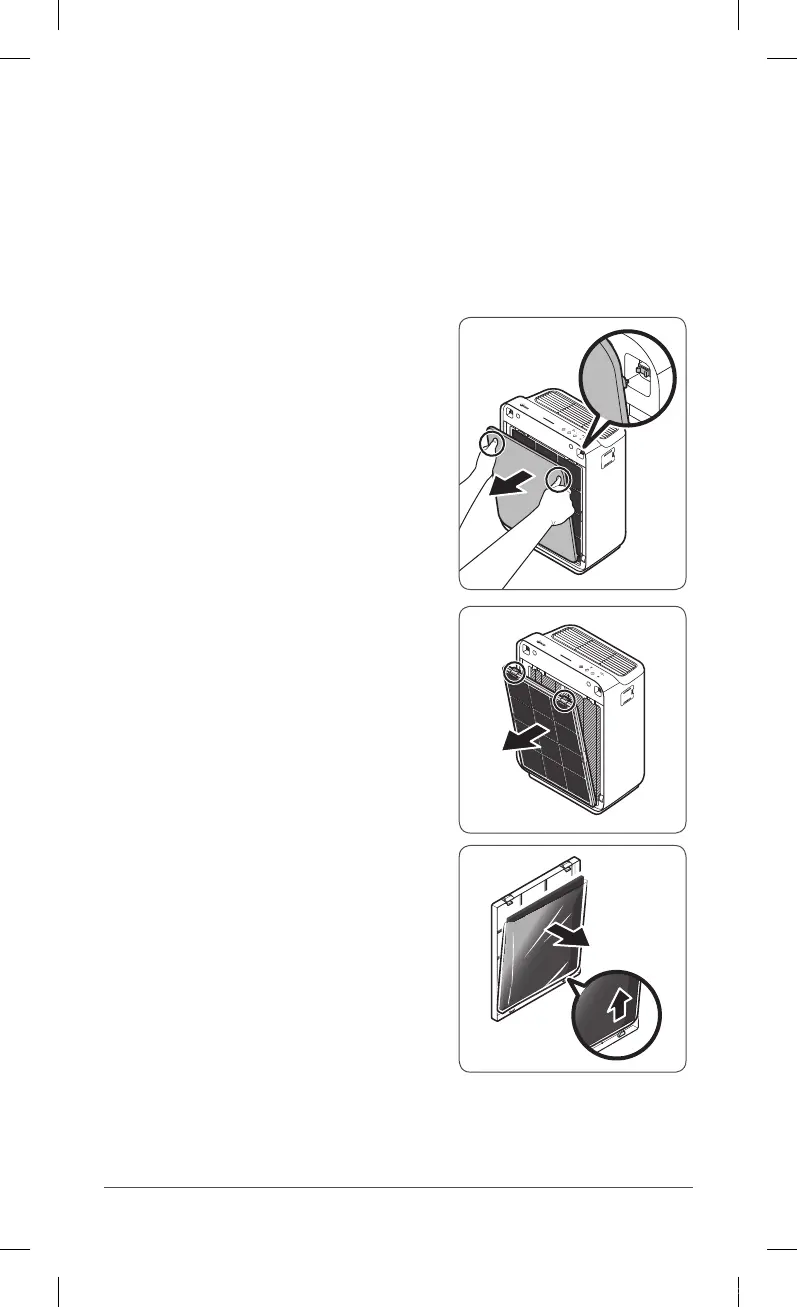
Remove the front panel by pressing down
on both edges of the front and gently
pulling it toward the front.
②
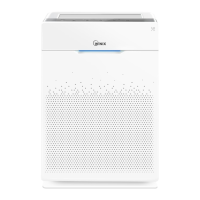
Press on the Pre-filter tabs near the top of
the filter, release and remove.
③
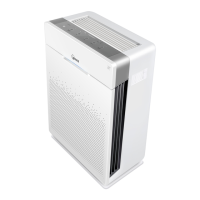
Remove the carbon filter from the filter case.
INSTALLING FILTERS
ZERO-N.indb 6 2018-04-26 오후 5:38:50



 To Next Page