blueCompact Select and install cylinder 07/2021 V 01
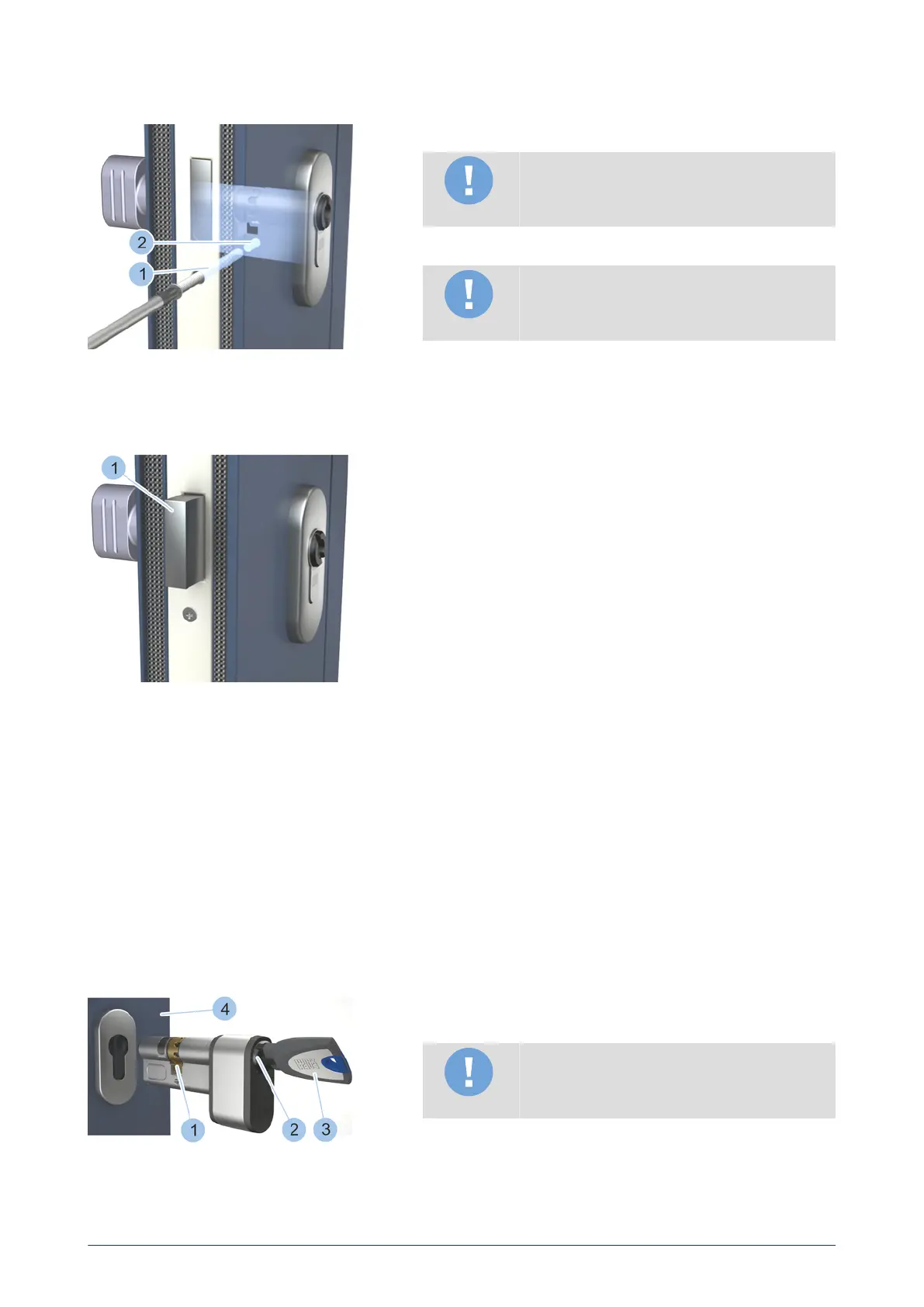
Screw cylinder tightly into position
Screw cylinder tightly into position
Note
Physical damage due to face plate screws
screwed at an angle.
4. Screw the face plate screw (1), so that it is straight when it enters
the cylinder thread (2).
Note
Physical damage due to over-tightening of
screw.
5. Use a screwdriver to tighten face plate screw (1) by hand.
ü
The cylinder is installed.
Perform functional test
Perform functional test
6. 'Lock' the door with the door open.
ü
The lock deadbolt (1) extends.
7. 'Unlock' the door with the door open.
ü
The lock deadbolt (1) retracts.
4.8 Install cylinder type 21 and type 22
Prerequisites:
•
Old cylinder has been removed.
– see "Dismount old cylinder", page 37
•
New cylinder has been selected by type and dimensions.
– see "Determine cylinder type", page 37
•
Face plate screw has been checked and also shortened if necessary.
– see "Shorten face plate screw", page 42
– see "Shorten face plate screw", page 42
Insert cylinder
Insert cylinder
1. Insert key (3) into the keyway (2) on the battery compartment side.
2. Turn the key (3) to place cam (1) in the zero position.
Note
Material damage caused by using force to
insert cylinder.
3. Push in cylinder from the inner side of the door (4). If the cylinder
is stuck, carefully jiggle with the key and push cylinder in. Contact
specialist company if you experience problems.
46
blueCompact electronic locking system



 To Next Page