blueCompact Manage locking system 07/2021 V 01
Display key
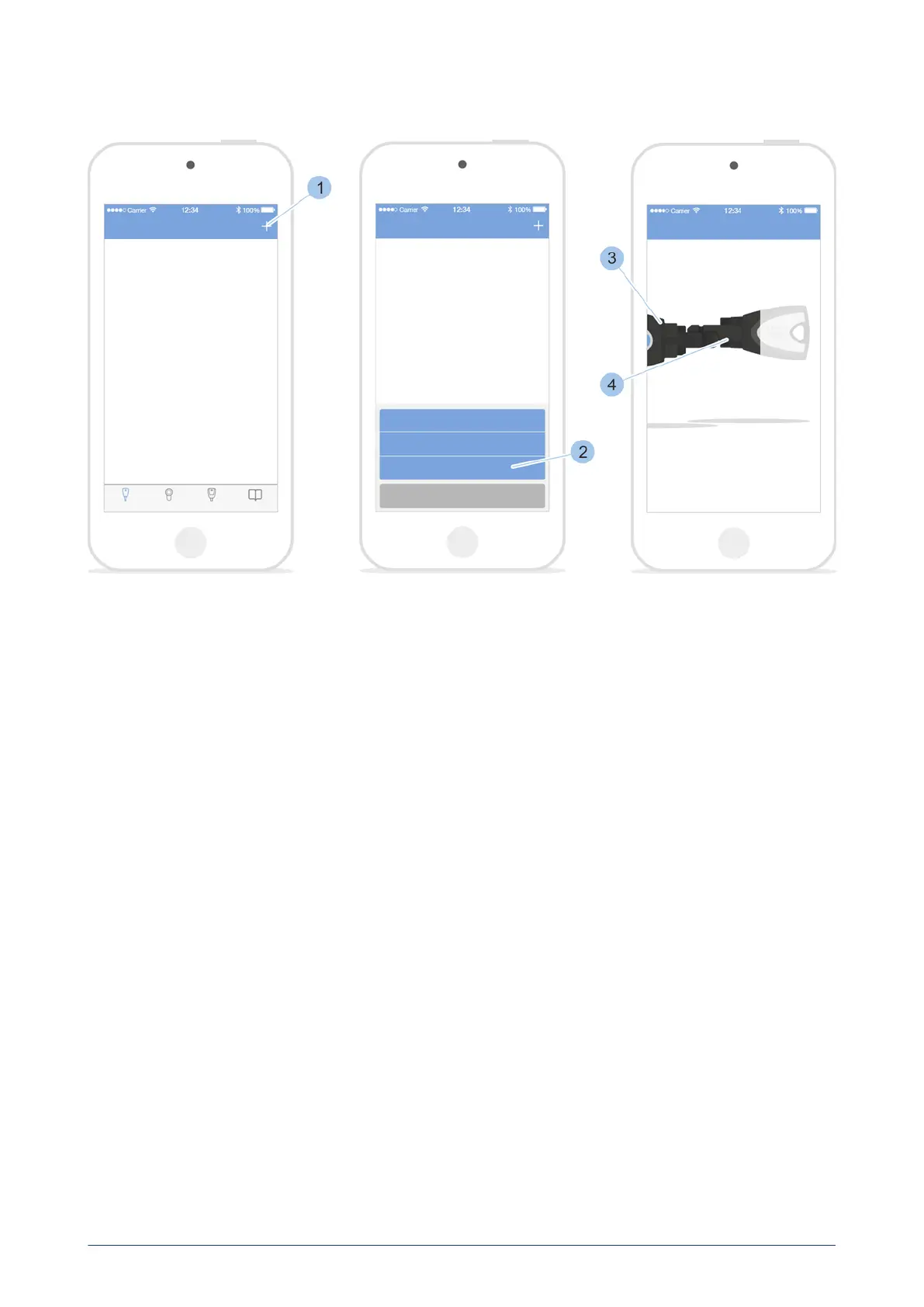
Identify key
1. Call up the Key menu.
2. Touch '+' (1) in the Key menu.
3. Touch Identify key (2).
4. Insert Masterkey (3) and key (4) into the adapter.
ü
The key's specifications are shown after the key has been scanned,
such as the battery status.
7.3.4 Delete key
Prerequisites:
•
User is in the Key menu.
•
Key no longer has any locking authorisations.
see "Issue and withdraw locking authorisations on the cylinder",
page 72
blueCompact electronic locking system
67


 To Next Page