blueCompact Manage locking system 07/2021 V 01
Identify cylinder
Show cylinder
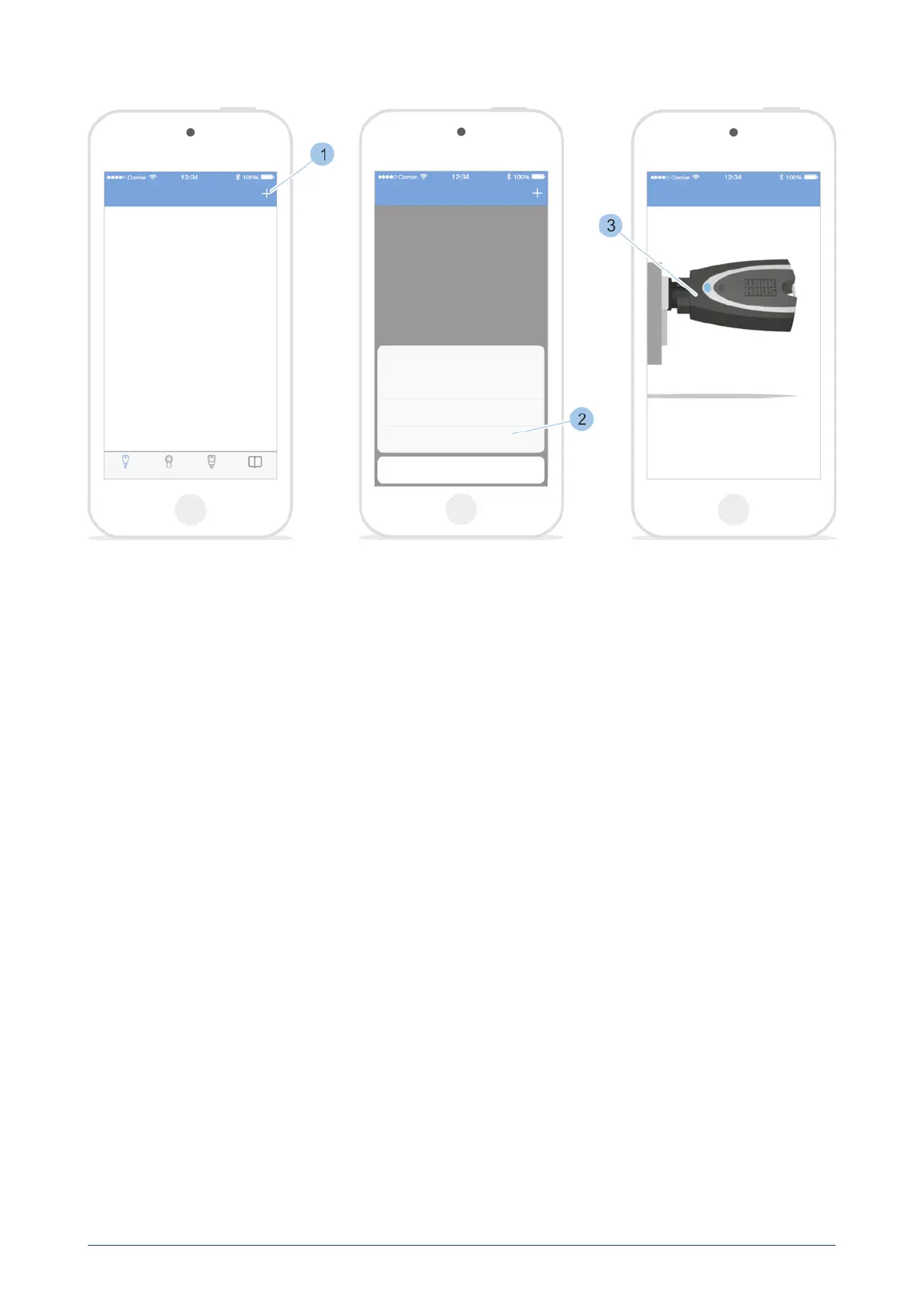
1. Call up the Cylinder menu.
2. Touch '+' in the Cylinder menu (1).
3. Touch Identify (2).
4. Insert Masterkey (3) in the cylinder.
ü
The cylinder specifications are shown after the key has been
scanned.
7.4.4 Check the cylinder battery charge status
Prerequisites:
•
Masterkey has been linked to the app.
see "Log in with password ", page 59
•
User is in the Cylinder menu.
blueCompact electronic locking system
71



 To Next Page