blueCompact Select and install cylinder 07/2021 V 01
4.7 Install cylinder type 04 and type 04 MK
Tip
Type 04 and type 04 MK may only be installed
from the inside due to the knobs.
Prerequisites:
•
Old cylinder has been removed.
– see "Overview and explanation of terms", page 36
•
New cylinder has been selected by type and dimensions.
– see "Determine cylinder type", page 37
•
Face plate screw has been checked and also shortened if necessary.
– see "Shorten face plate screw", page 42
– see "Shorten face plate screw", page 42
Insert cylinder
Insert cylinder
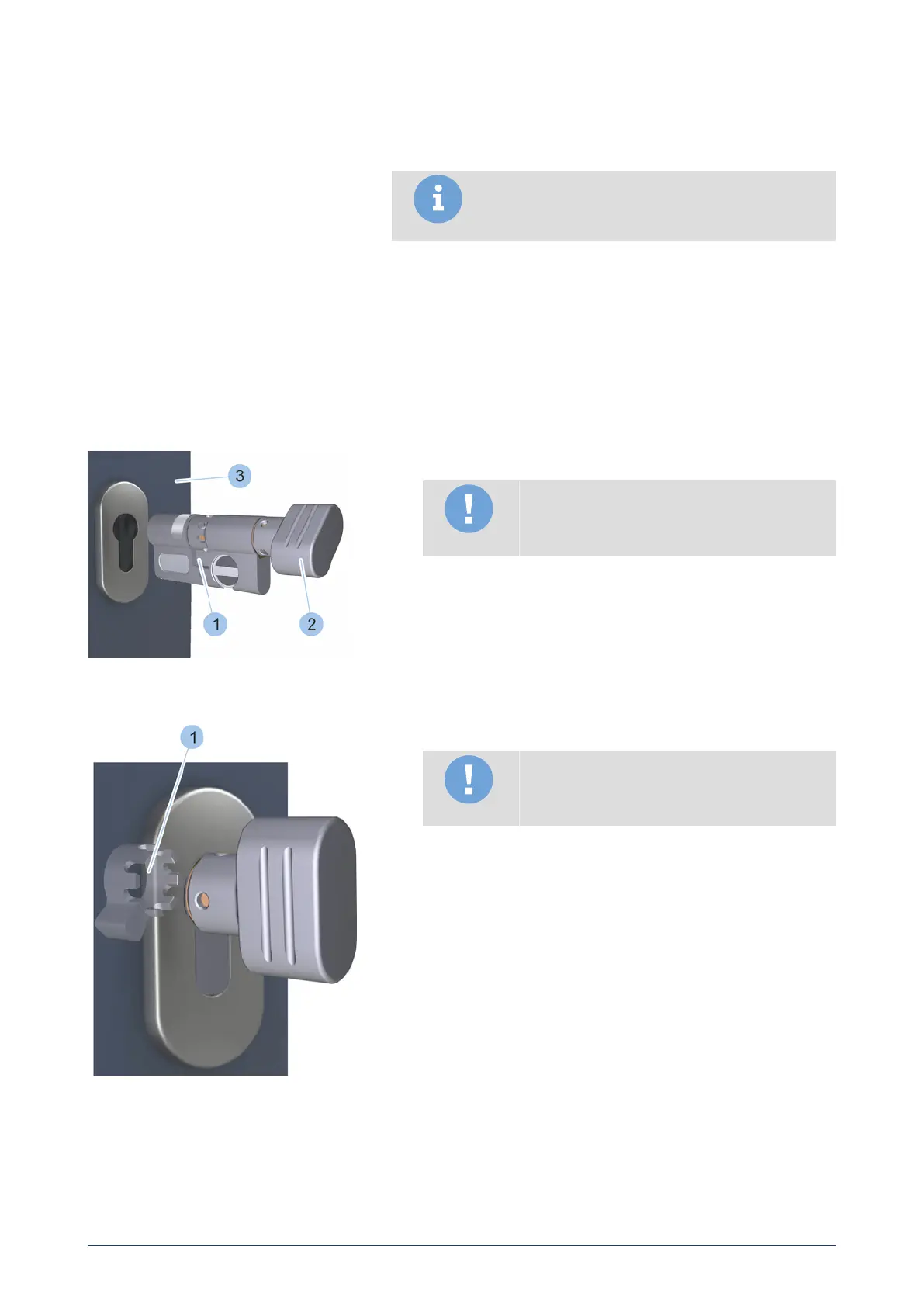
1. Turn the knob (2) to place cam (1) in the zero position.
Note
Material damage caused by using force to
insert cylinder.
2. Push in cylinder from the inner side of the door (3). If the cylinder
is stuck, carefully jiggle with the knob and push cylinder in. Contact
specialist company if you experience problems.
Align cam
Align cam
Note
Reduced protection against burglary due to
incorrectly aligned cam.
3. Turn knob into vertical position.
ü
The cam (1) is facing the door hinge side.
blueCompact electronic locking system
45



 To Next Page