blueCompact Manage locking system 07/2021 V 01
Set time profiles
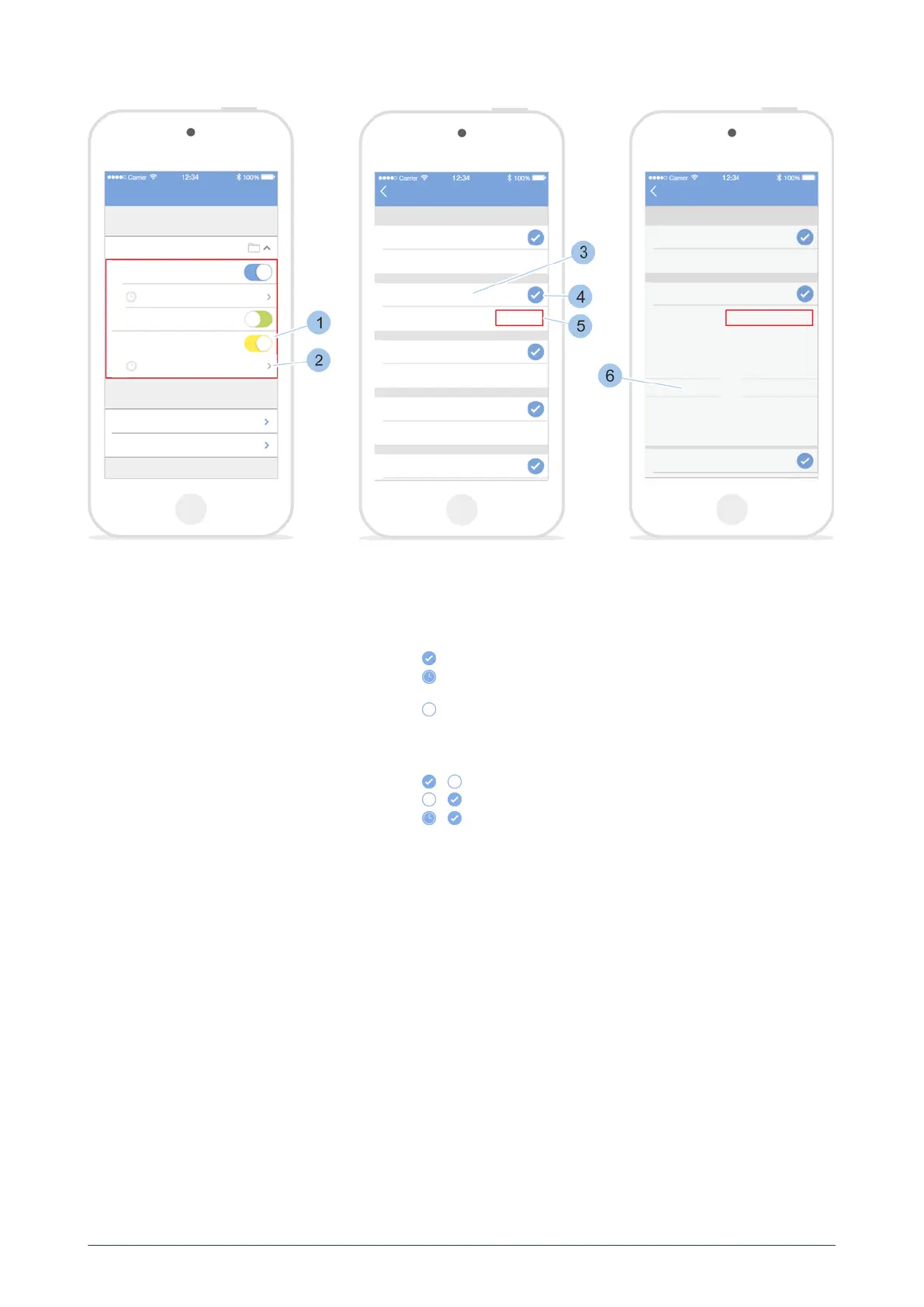
4. Issue locking authorisations for the key (1).
5. Touch the Time profiles (2) menu.
ü
The weekdays (3) are shown with the relevant authorisation symbol
(4) and the authorisation status (5).
+ always: The key is always authorised to lock on this day.
+ 08:00 – 18:00 h The key is authorised to lock for a specific period
of time on this day.
Not: The key is not authorised to lock on this day.
6. Touch the authorisation symbol (4).
ü
Change the authorisation symbol (6) and the authorisation status
(7).
→
→
→
blueCompact electronic locking system
79


 To Next Page