IB70 Motherboard User Manual
97
4.8 USB 3.0 Driver Installation (for Windows 7)
Note: If the operating system of the device is Windows Embedded 8.1 Industry or
Windows Embedded 8 Standard, users can skip this installation.
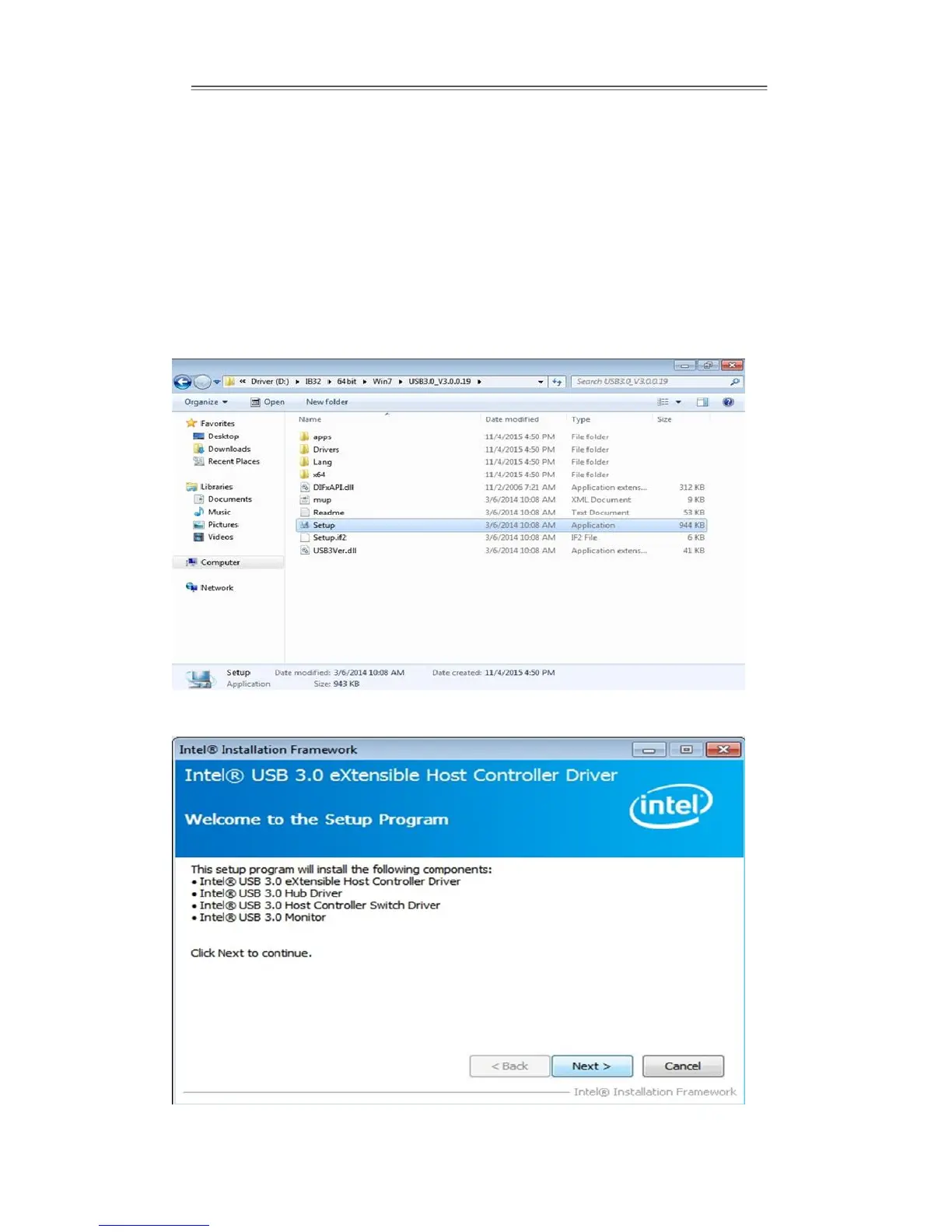
Step 1 Locate the hard drive directory where the driver files are stored with the
browser or the explore feature of Windows*.
Step 2 Double click the “Setup.exe” from this directory.
Step 3 Click “Next” to continue


 To Next Page