IB70 Motherboard User Manual
67
Enables or disables Fast Boot to
shorten the OS boot process.
(Default: Disabled).
Specifies the overall boot order
from the available devices
Ex: Boot
Option#1
(hard
drive)
Hard drive as the
first priority
Hard Drive
BBS Priorities
Specifies the boot order for a
specific device type, such as hard
drives, optical drives, floppy disk
drives, and devices that support
Boot from LAN function
Enter the
submenu that
present the
devices of the
same type are
connected.
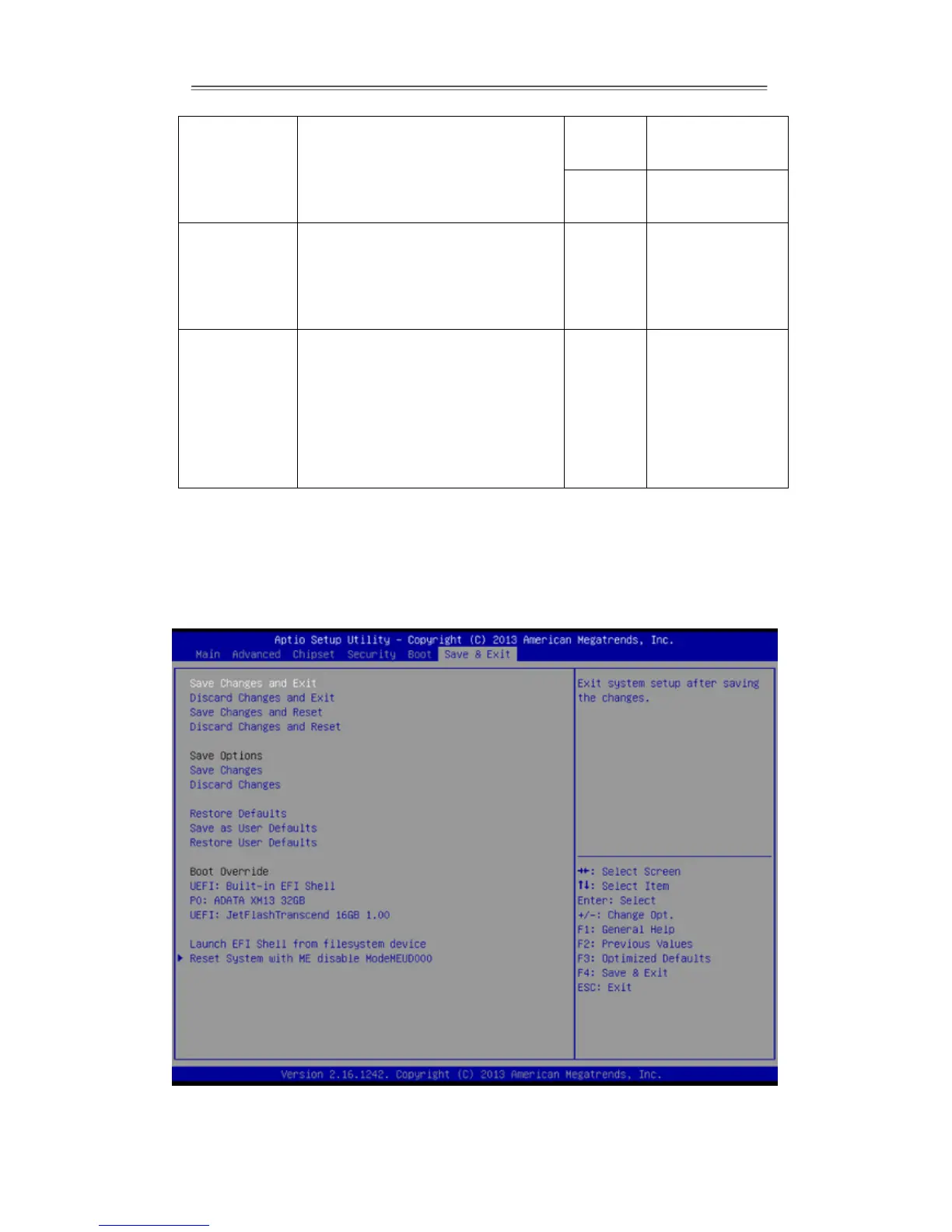
3.2.6 Save & Exit
The Exit menu displays a way how to exit BIOS Setup utility. After finishing your
settings, you must save and exit for changes to be applied.


 To Next Page