IB70 Motherboard User Manual
66
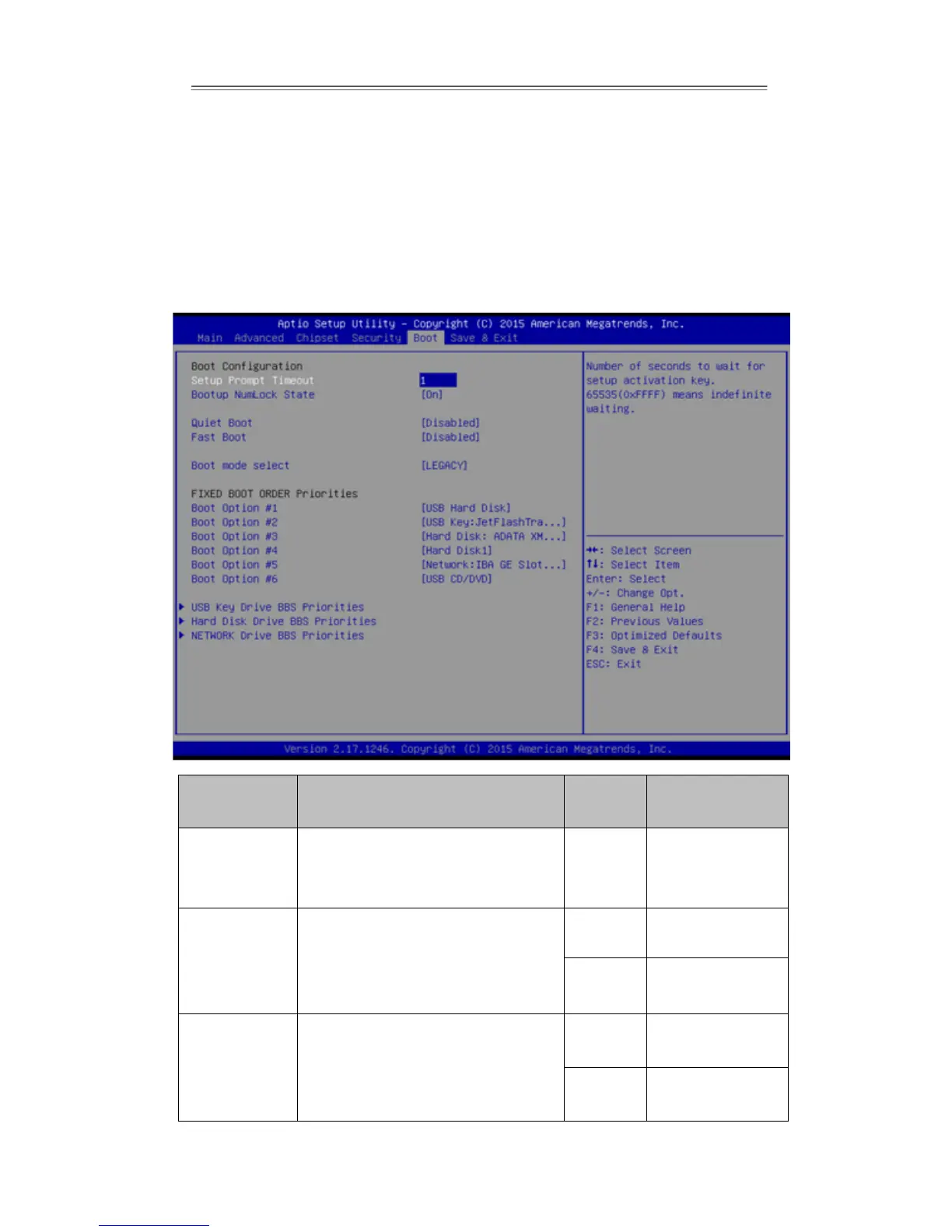
3.2.5 Boot Configuration
The Boot menu sets the sequence of the devices to be searched for the operating
system. The bootable devices will be automatically detected during POST and shown
here, allowing you to set the sequence that the BIOS use to look for a boot device
from which to load the operating system.
Allows user to configure the
number of seconds to stay in BIOS
setup prompt screen.
Enables or disables NumLock
feature on the numeric keypad of
the keyboard after the POST
(Default: On).
Determines if POST message or
OEM logo (default = Black
background) is displayed.


 To Next Page