IB70 Motherboard User Manual
8
Chapter 2 Hardware Installation
2.1 Memory Module (SO-DIMM) Installation
The IB70 SBC Motherboard provides one 204-pin SODIMM slot. The socket supports
up to 4GB DDR3L 1066/1333 SDRAM. When installing the Memory device, please
follow the steps below:
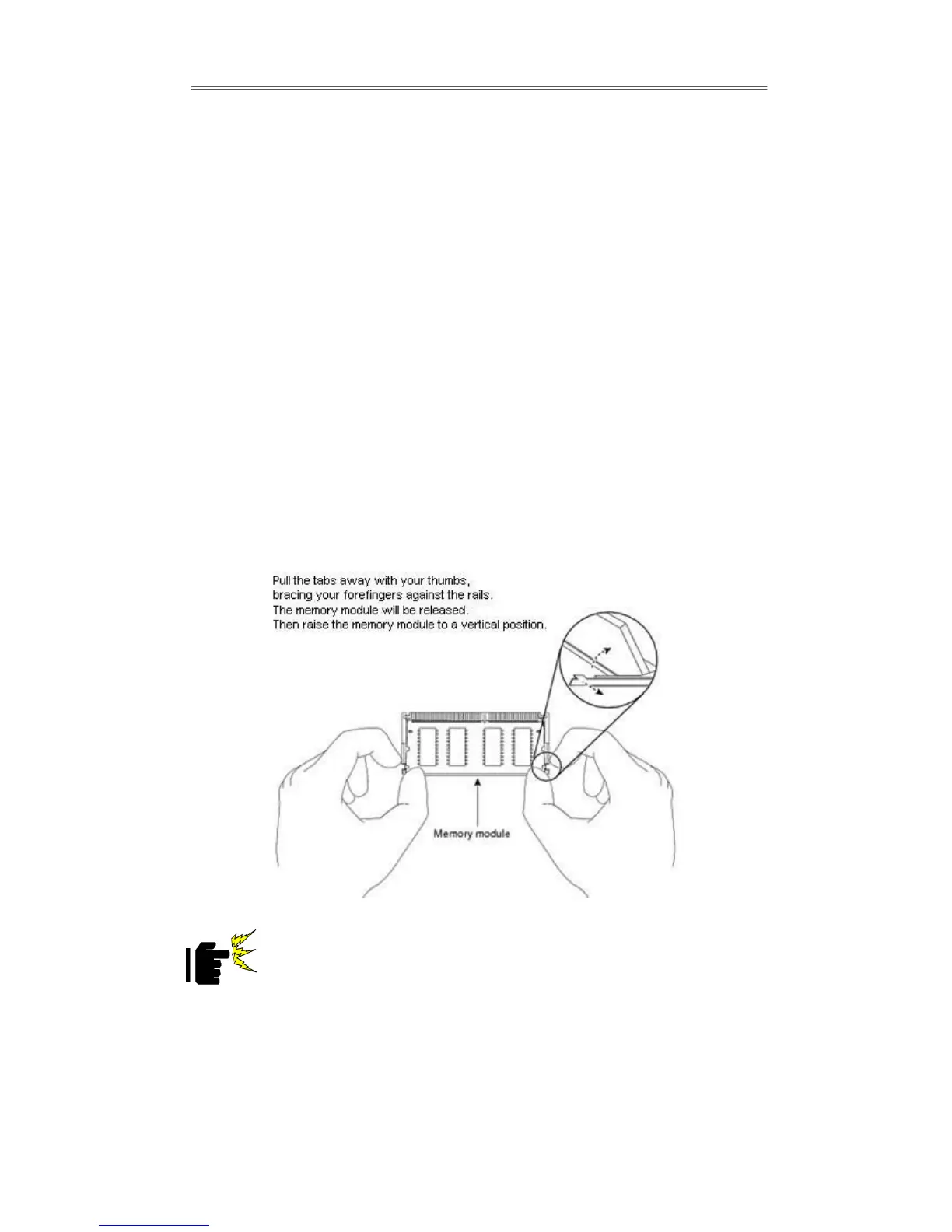
Steps 1 Firmly insert the SO-DIMM at an angle of about 30-degree into the slot. Align
the SO-DIMM with the slot until it is fully inserted. The notch on the SO-DIMM
should match the break on the slot.
Step 2 Press downwards on SO-DIMM until the retaining clips at both ends fully snap
closed and the SO-DIMM is properly seated.
The SO-DIMM only fits in one correct orientation. It will cause
permanent damage to the development board and the SO-DIMM if
SO-DIMM is forced into the slot at the incorrect orientation.


 To Next Page