EN-29
Withings Move
v1.0 | January, 2019
Tracking my activity
Overview
Your Withings Move allows you to track your activity: number of steps, run
tracking and swim tracking. Whether you are walking, running or swimming, you
don’t have to do anything to start tracking it. All you have to do is wear your
Withings Move, it will do the rest.
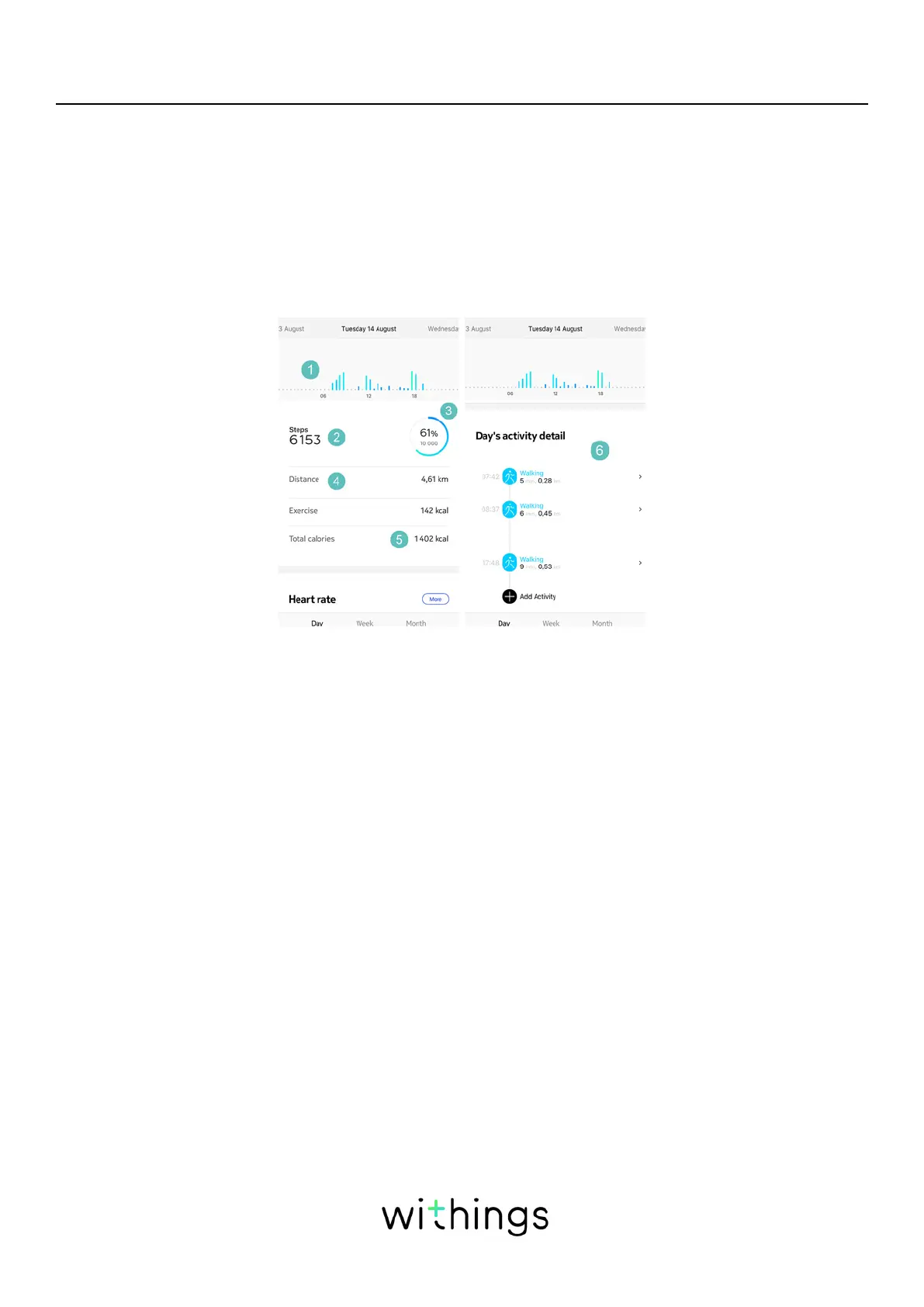
(1)Visual representation
of the number of steps:
each bar corresponds to
a 30-minute period
(2)Number of steps
during the day
(3)Percentage of the
daily step goal achieved
(4) Estimated distance
walked during the day
(5)Estimated calories
burned during the day
(active calories and total
number of calories)
(6) Day’s activity detaill
The integrated accelerometer allows your Withings Move to automatically count
your number of steps and to recognize when you are running. Your running
activity, your distance and your calories are calculated thanks to an algorithm
based on your number of steps and your personal data (age, height and weight).
Checking my progress
In order to check your progress in terms of number of steps, all you have to do
is have a look at the activity hand. Depending on its position, you can tell what
percentage of your daily step goal you have achieved. Once you reach the 100%
mark, your watch vibrates and the cycle starts all over again, from 0% to 100%.
To get even more details, simply log in to the Health Mate® app. The app oers
many graphs that allow you to easily see your history and your progress from the
very first time you use it.














 To Next Page