EN-33
Withings Move
v1.0 | January, 2019
Setting an alarm
Enabling the alarm
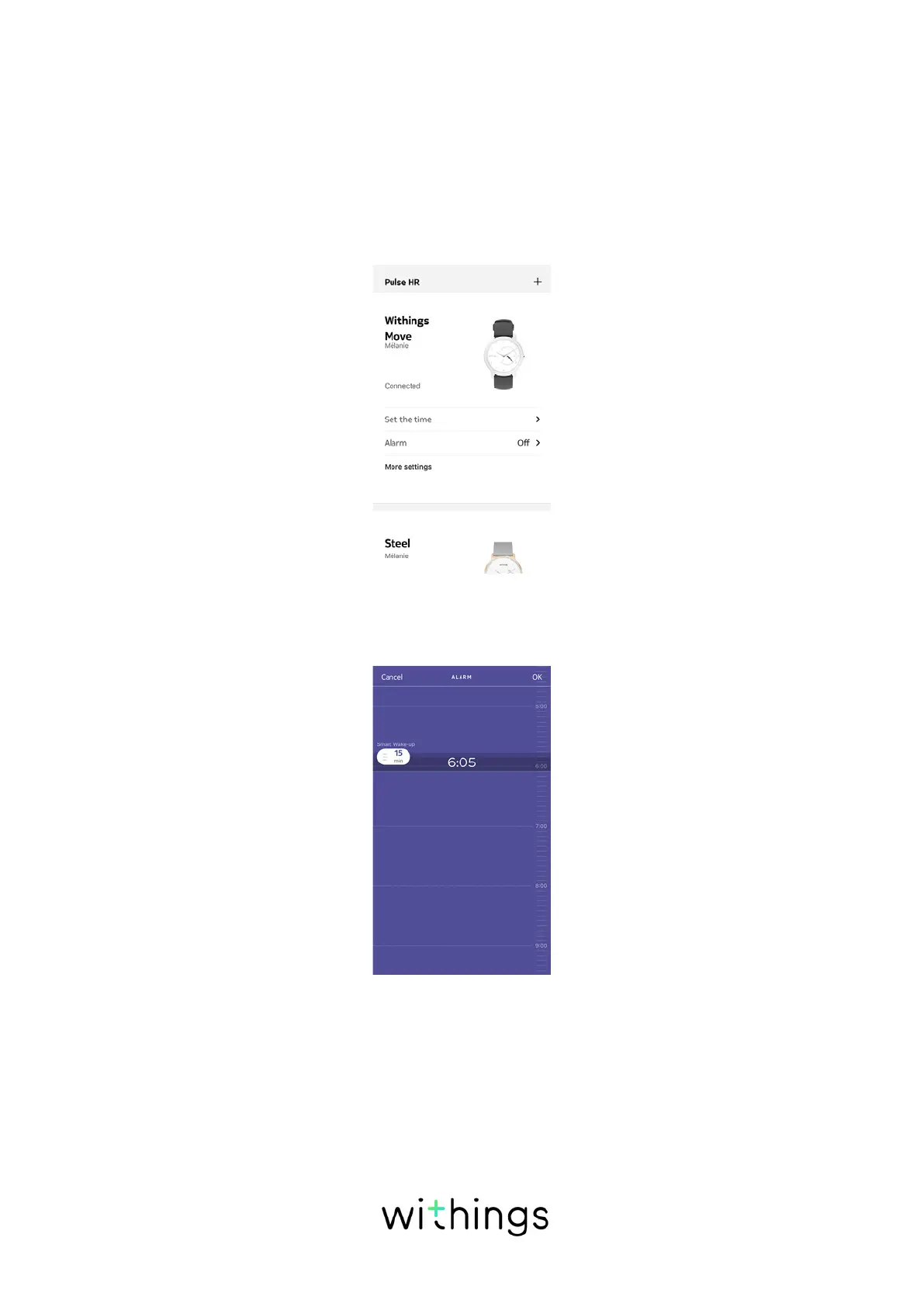
In order to enable and set an alarm, perform the following steps:
1. Open the Health Mate® app.
2. Go to Devices.
3. Go to Withings Move > Alarm.
4. Place Withings Move close enough to your mobile device.
5. Tap and slide the wake-up time up or down to select the alarm time.
6. If necessary, select a Smart Wake-up time when setting an alarm.
Your watch will then find the best moment to wake you up during that time
period to make for a smoother wake-up experience.
7. Tap OK.














 To Next Page