Page 12 Analyzer Q1 Witschi Electronic Ltd
Die Parameters
SIGNAL
and
TIME
can be automatically selected by the instrument; they are
identified with the label
Auto
and the current automatically determined value. The automatic
selection can be overridden by a manual selection.
A manual selection must only be used when measurements is to be carried out with a deliberately
chosen value different from the automatically determined value.
Procedure
Use the rotary knob to select the parameter to be set. The current parameter setting will appear
on a rhythmically blinking white background.
Press the rotary knob.
A white arrow appears on the left of the parameter setting.
Use the rotary knob to select the desired parameter setting.
Finally, press the rotary knob to confirm the setting.
You can then select other parameters to carry out other setting operations.
Please note: Some parameters
react immediately to any change (without confirmation by pressing
the rotary knob). This can be used for instance for modifying the module supply voltage.
Back to Main Menu
Use the rotary knob to select arrow . Pressing the rotary knob sends you back to the main
menu.
Alternatively, keep the rotary knob pressed for approx. 2 seconds. A short beep confirms the
return to the main menu. The position of the cursor does not play any role in this case.
5.4 Help
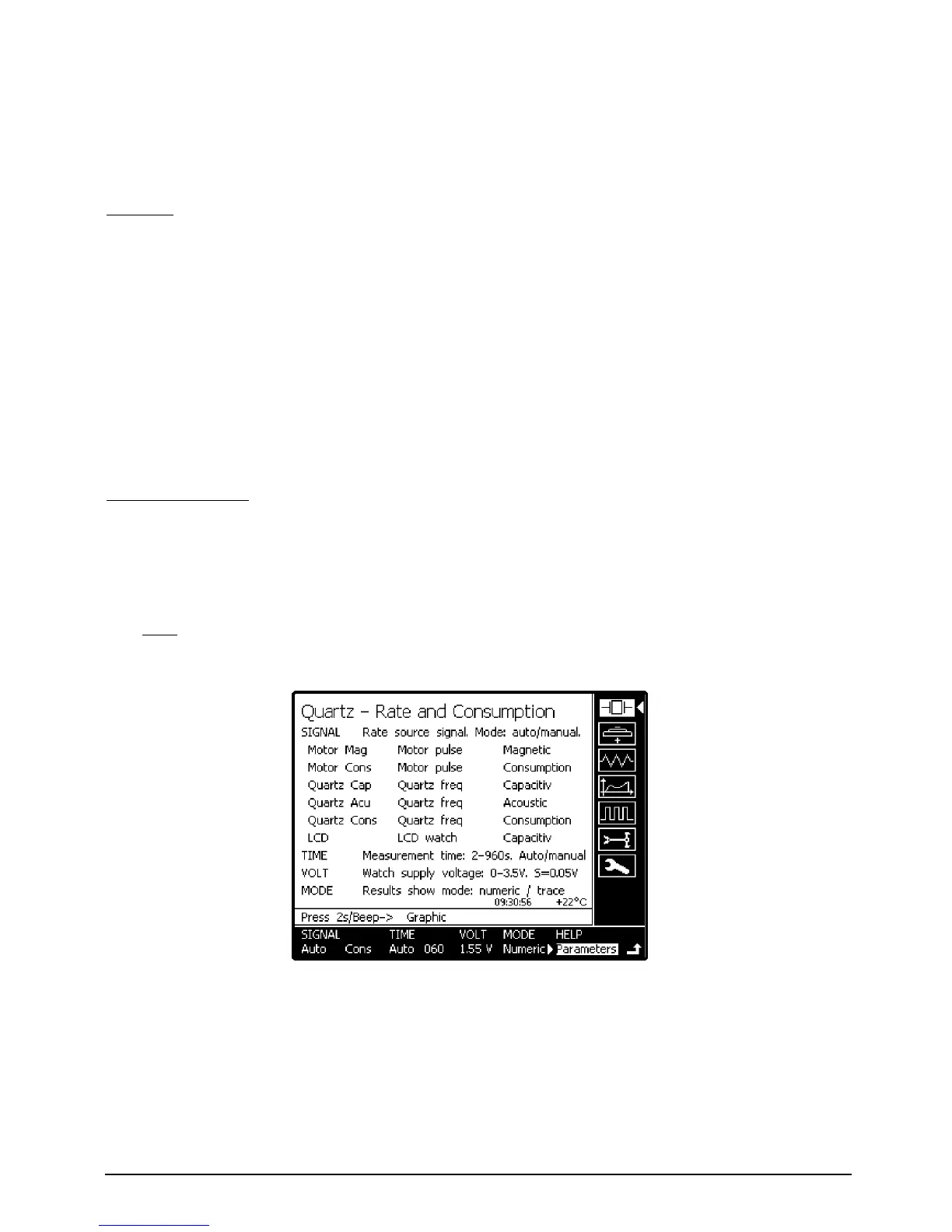
The
HELP
parameter caption allows retrieving information about parameter selection or the
interpretation of measurement results.
Select parameter
HELP
and press the rotary knob.
Select
Parameters
or
Results
according to the information desired.
Press the rotary knob once more to go back to measurement.


 To Next Page