* Set values (increase)
* Display stored MAX and MIN values
Button
* Illumination backlight
* Activate snooze function
* Activate setting mode for weather symbol
Button
* Set values (decrease)
* Display: Mold indicator, dew-point, heat index
Button
* Switching the alarm on/off
Button
* Display weather data from various wireless sensors (channel 1.2.3)
* Reconnect wireless sensor connection
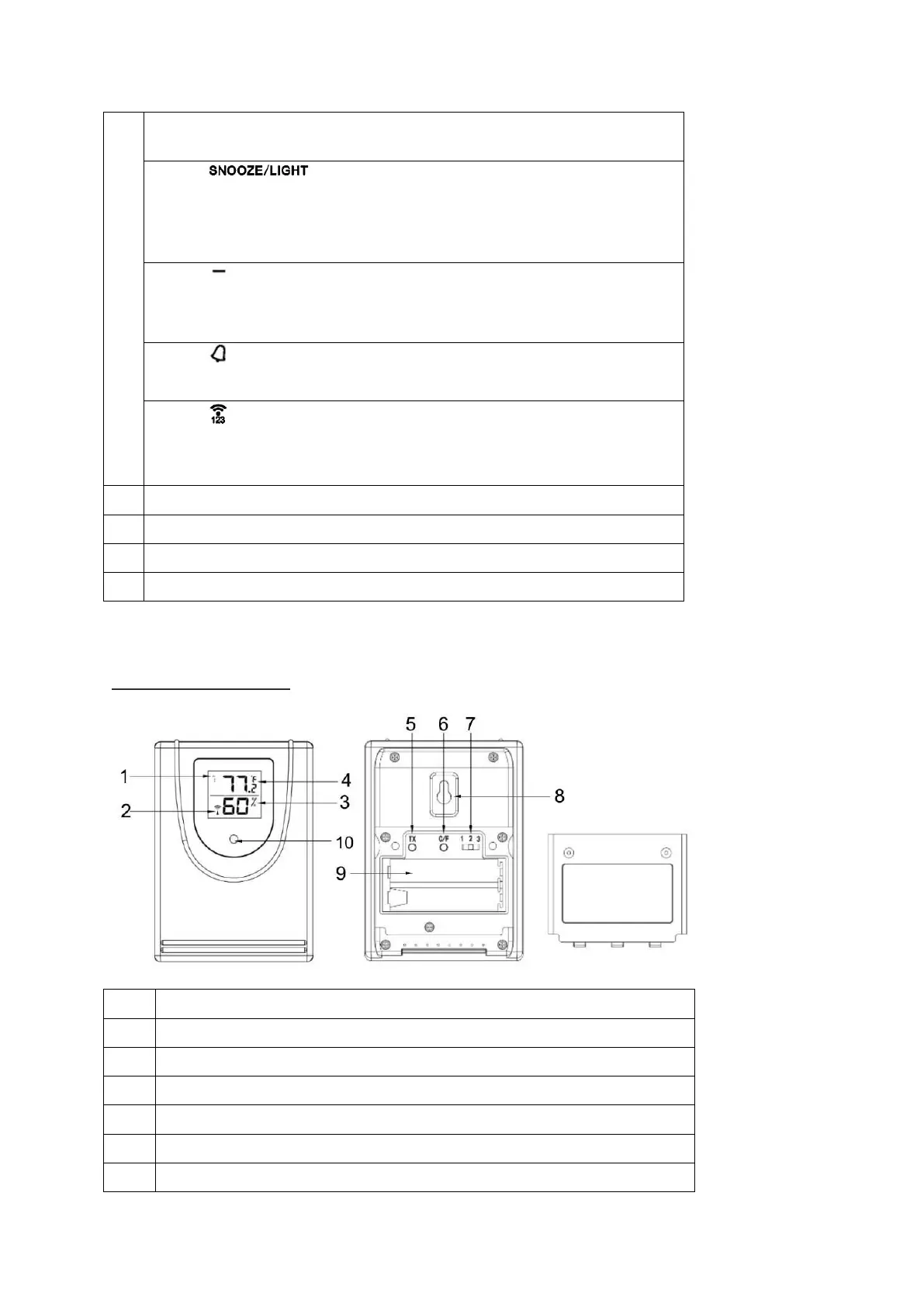
Wireless sensor
Current transmission channel
Button
TX
: Speed up wireless transmission to the base unit manually
°C/°F button: Switch temperature unit
Sliding switch 1 2 3: Set sensor number (transmission channel)



 To Next Page