23
User Manual WMF1500 S +
Operation | Switch on the coffee machine
3.3 Switch on the coffee machine
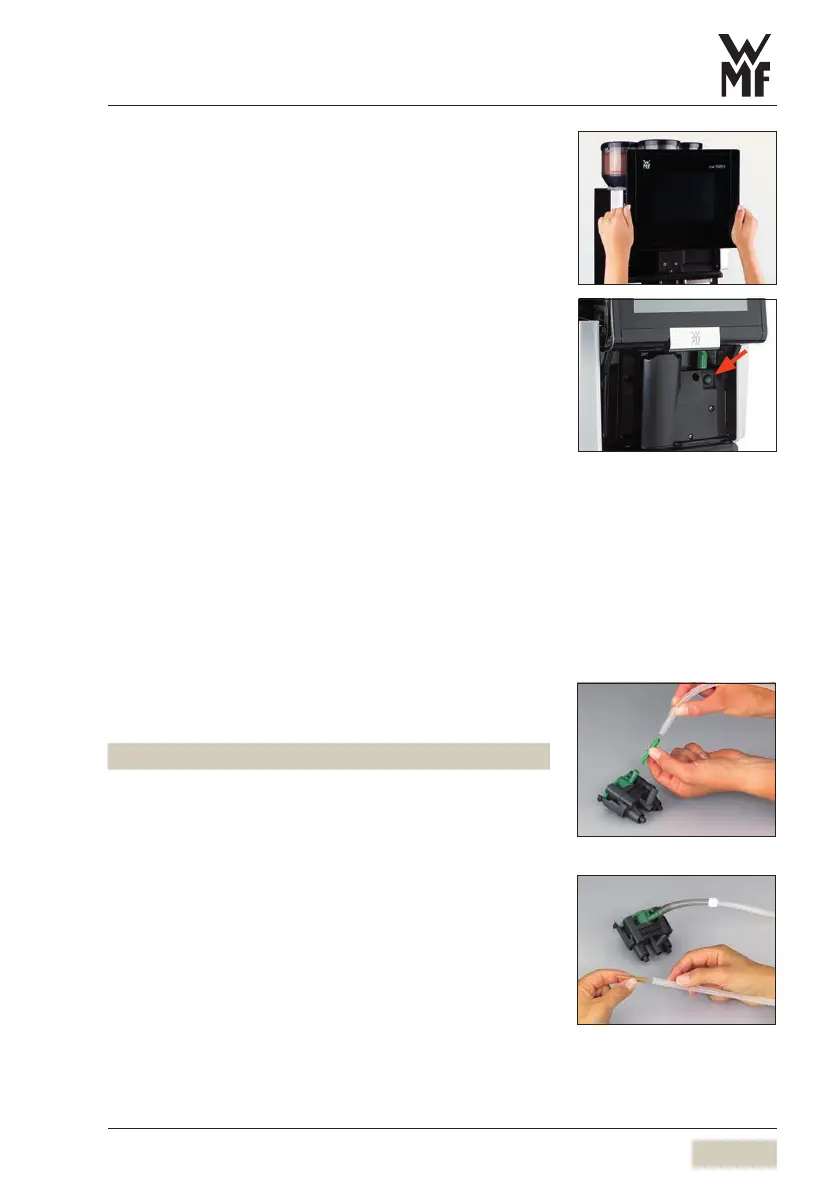
Slide the operating panel upward
The ON/OFF switch is on the right side, behind the
operating panel.
Press the ON/OFF switch
Coffee machine switches on and heats up.
An automatic warm rinsing starts.
When the coffee machine is ready to dispense
beverages, the “Ready to operate” display appears.
The coffee machine can be switched on and off using
the timer.
3.4 Milk or milk foam (optional)
3.4.1 Connect up the milk
Basic Milk
Use asuitable milk nozzle on the combi spout.
Colour Milk temperature
• green very cold milk (up to 8°C)
• white chilled milk (8to 16°C)
• caramel non-chilled milk (above 16°C)
Open the milk packaging and place it on the left
next to the coffee machine
Insert the milk hose with the beige milk nozzle into
the milk pack
The hose must reach down to the floor of the milk
package.
The hose must not be under tension or bent when
adjusting the height of the combi spout.
PIN access control
w PIN rights
page 55
Set timer switching times
w Timer
page 58
Cooler version



 To Next Page