25
User Manual WMF1500 S +
Operation | Beverage dispensing
3.5 Beverage dispensing
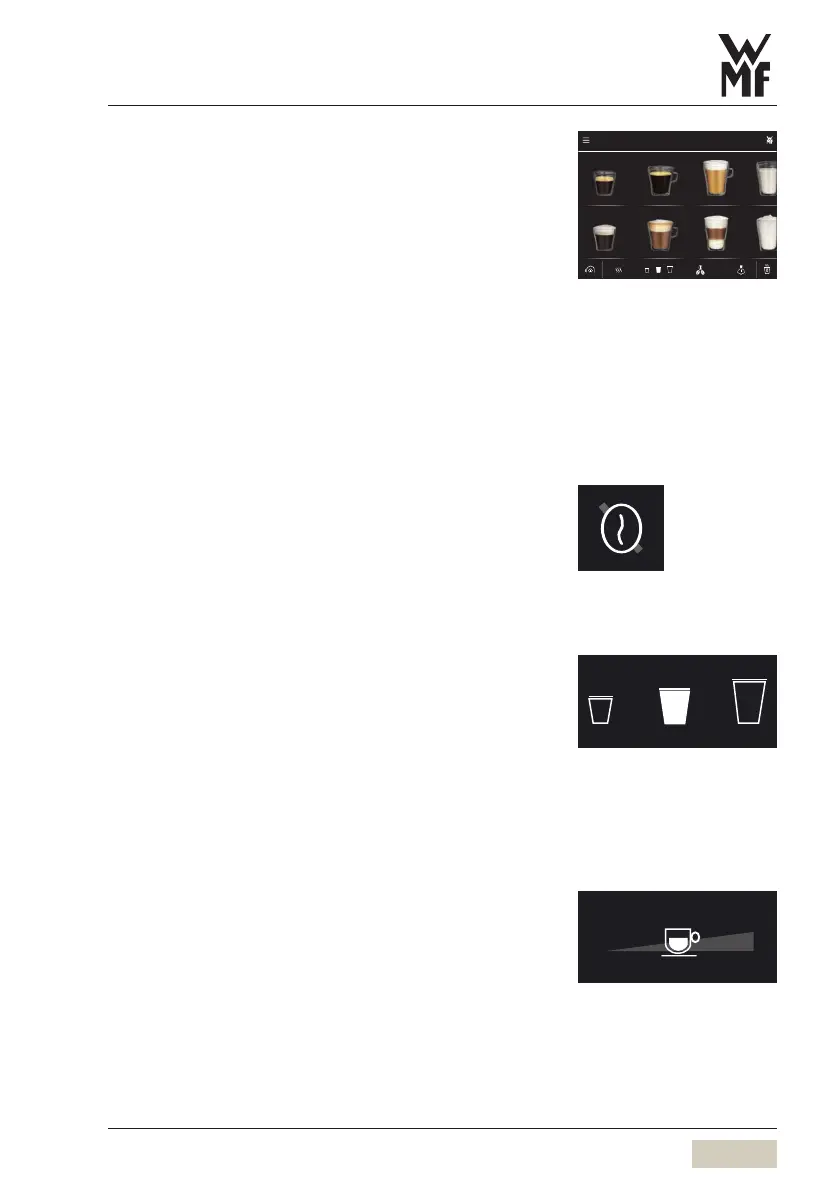
Pressing the beverage buttons triggers dispensing of
the beverage selected.
• Illuminated botton = ready to dispense
• Unlit button = not ready to dispense/
button disabled
Place acup of the appropriate size beneath the
combi spout
Touch the desired beverage button
Cancel beverage
Touch the desired beverage button again
3.6 Pre-selection pads (optional)
Depending on the model, pre-selection pads such as
the caffeine-free pad may be available on the display.
These are pre-selection pads that define the desired
pre-selection prior to beverage selection using the
beverage buttons.
3.7 Special buttons (optional)
Special buttons for beverage sizes Sand Lare
optionally available on the display. These are
pre-selection buttons which establish the desired size
of the beverage before selection of the beverage.
M = amount of the beverage set, no pre-selection
S = approx. 25 % less than M
L = approx. 25 % more than M
3.8 Open cup volume selection
Free selection of the cup volume is optionally available.
Depending on the setting, the cup volume can be
adjusted in post-select mode after the beverage has
been selected.
Espresso Café Crème Milk coffee Milk
Espresso macchiato Cappuccino Latte Macchiato
Button layout
w Operating options
page 50
Example:
Caffeine-free pad
w page 35
S M L
100 %



 To Next Page