FAULT FINDING AND DIAGNOSIS
6 720 803 800 (2012/11) 65
TESTING THE COMPONENT
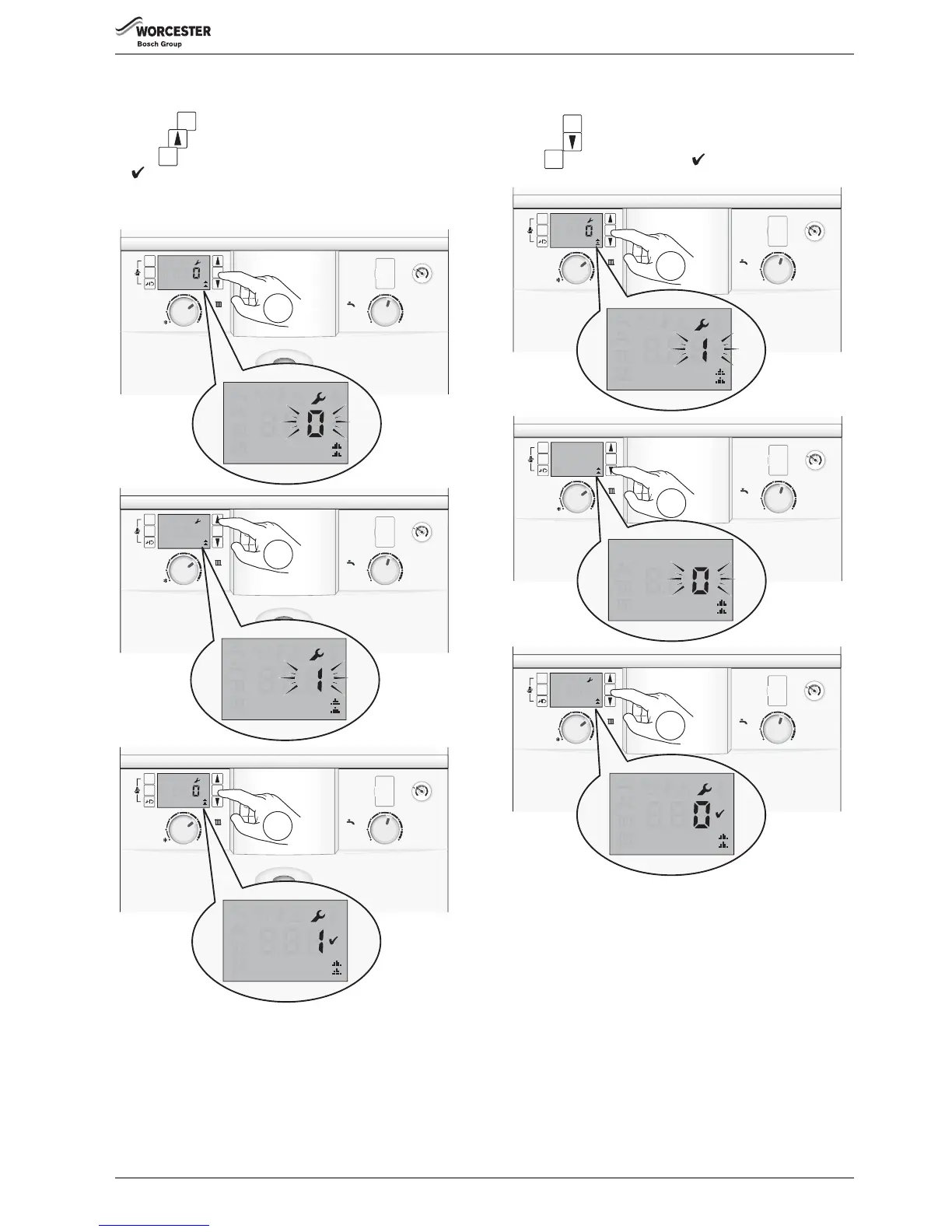
▶ Select a component to test.
▶ Press the button, the value 0 will flash.
▶ Use the arrow button to change the value to a flashing 1.
▶ Press to confirm the change, the value 1 will stop flashing and a
will displayed for 3 seconds.
The test will run for 30 to 60 seconds unless the value is changed back
to 0 before that time, the test may take 10 seconds to start.
Fig. 133 Testing component
RESETTING THE TEST COMPONENT
After completing the test:
▶ Press the button, the value 1 will flash.
▶ Press the arrow button, the value will change to a flashing 0.
▶ Press to confirm the change, a will display for 3 seconds.
Fig. 134 Resetting test



 To Next Page