HANGZHOU BLUE WHALE MUSIC TECHNOLOGY CO.,LTD HANGZHOU WORLDE MUSIC ELECTRONIC CO., LTD
WEBSITE: WWW.WORLDE.COM.CN EMAIL:SALES@WORLDE.COM.CN TEL:86 571 88730848
- 15 -
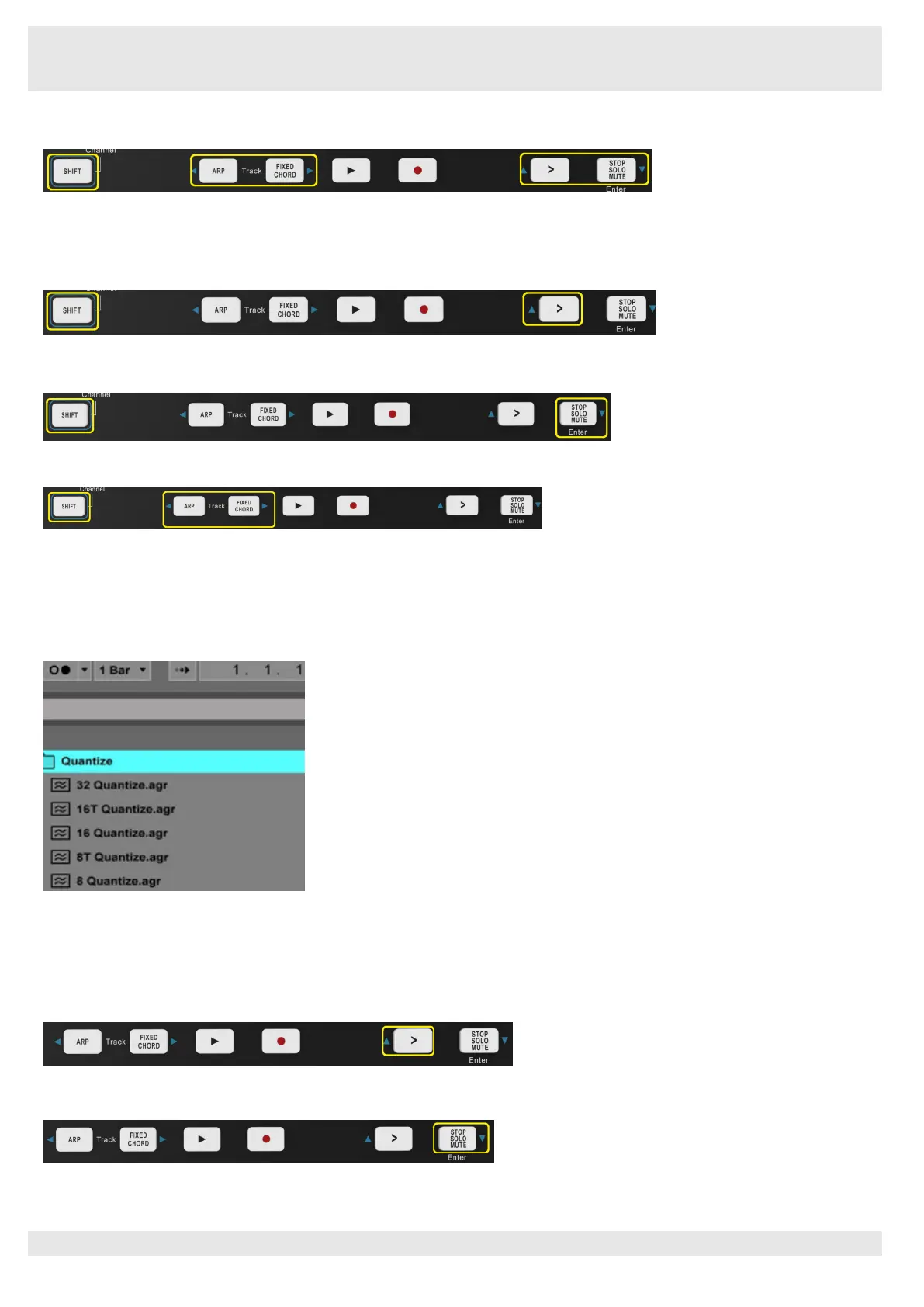
You can navigate around Session View by holding Shift and pressing the 4 buttons with arrows as their secondary functions: >, Stop
Solo Mute, Arp, and Fixed Chord.
More specifically, you can move the currently selected grid of clips (inside Ableton Live’s coloured rectangle) up or down by holding Shift
and pressing the following buttons:
Shift + Scene Launch (>) – This moves the grid of clips up one row.
Shift + Stop, Solo, Mute – This moves the grid of clips down one row.
Holding Shift and pressing Arp (left) or Fixed Chord (right) will select the adjacent left or right track. This will automatically arm the track
so it is ready to receive MIDI.
6.1.2 Launching Clips
Pressing pads will launch clips in the corresponding location in your Session View. Pads will pulse white to indicate that a clip is playing.
Pressing the pad again will relaunch the clip, and pressing an empty pad will stop playback on that track.
How fast clips stop or relaunch is set by Ableton Live’s Global Quantisation chooser, located at the top of the Live screen. By default, this
is set to 1 bar, but can go as fast as 1/32 notes, or as slow as 8 bars. It can also be set to ‘None’ so clips react immediately.
6.1.3
Launching Scenes
Pressing the Scene Launch button (>) launches scenes in Ableton Live. This means that all of the clips in a row can either start, stop,
record or relaunch together.
6.1.4 Stop, Solo, Mute
While in Session mode, it is possible to switch the functionality of the bottom 8 pads so that they no longer launch clips. This is done with
the Stop, Solo, Mute button.



 To Next Page