HANGZHOU BLUE WHALE MUSIC TECHNOLOGY CO.,LTD HANGZHOU WORLDE MUSIC ELECTRONIC CO., LTD
WEBSITE: WWW.WORLDE.COM.CN EMAIL:SALES@WORLDE.COM.CN TEL:86 571 88730848
- 17 -
up the colour of the track. These pads will play whatever Drum Rack pads are visible on your computer screen, turning blue when played,
and red if the track is recording.
Hold Shift and press either the > or Stop, Solo, Mute buttons to scroll up/down a Drum Rack’s bank of 128 pads.
When using Ableton’s Drum Racks, Drum mode will – apart from triggering sounds – select the associated Drum Rack pad within a
Drum Rack. This means that on release, the last played Drum Rack pad becomes grey and Ableton Live shows the selected Drum Rack
pad on the screen.
6.1.7
Using Ableton Live Devices
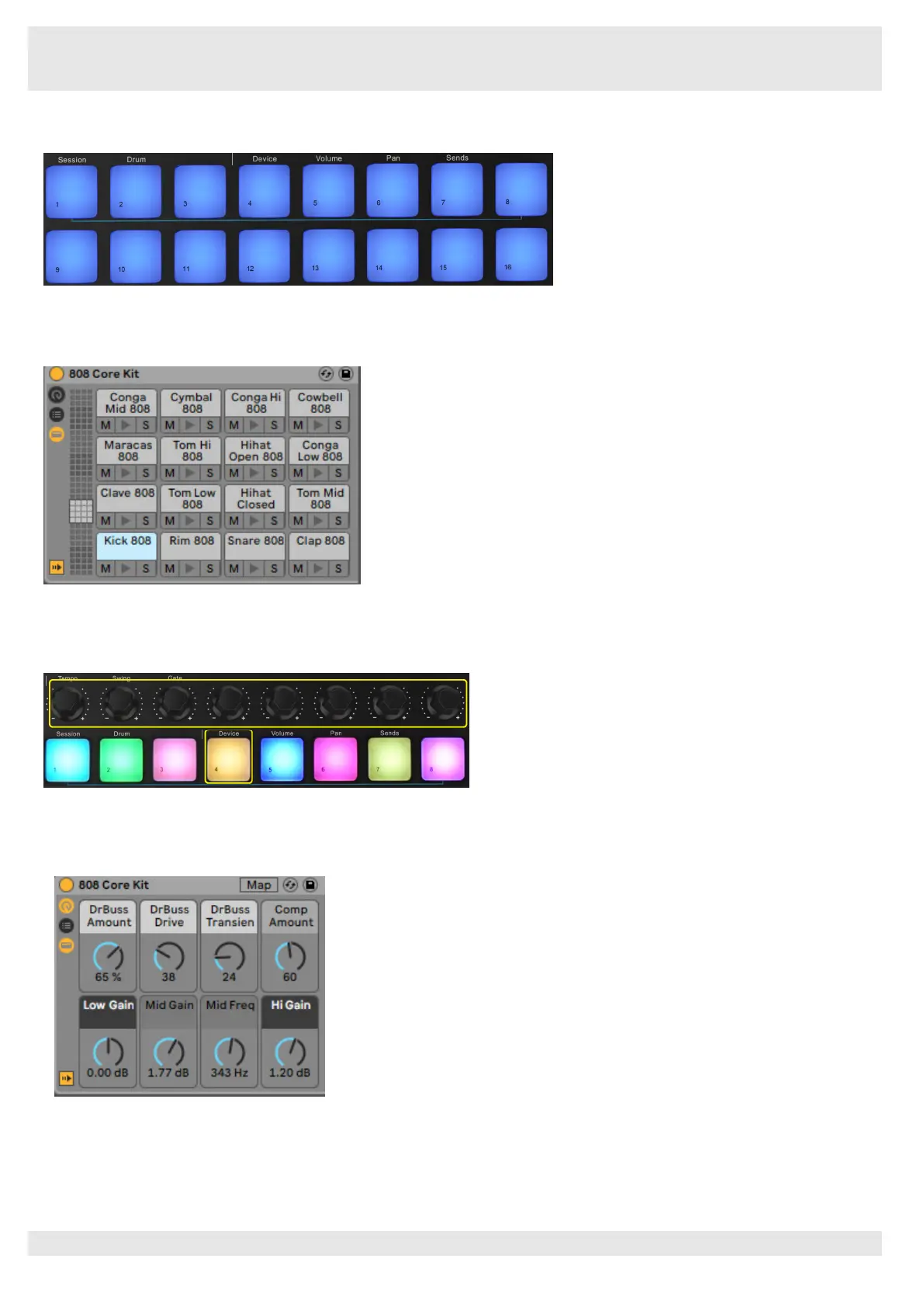
Device mode allows you to control the selected ‘device’ (Ableton or 3rd-party Instruments and Effects) on a Live track. Hold the Shift
button and press the Device pad (4th from top left) to use this mode.
In this mode, knobs control the first 8 parameters of the selected device. This is especially useful for controlling Live’s 8 ‘macro’ knobs,
available on Instrument and Effect Racks.
The above picture shows an Impulse preset called ‘Percussion 1’. Here, the Orca mini 25 knobs control sample volumes, sample start
and ‘stretch’, as well as delay and reverb amounts.



 To Next Page