32 World Precision Instruments
NOTE: An out of resistance range indication on the EVOM™ Manual screen will show
-----. The Python output will list -99999.9. If you are using a lower range (10K or 50K),
stop the output (X), increase the range and restart. The maximum resistance level that
the EVOM™ Manual can measure is 10,5000 ohms.
Running the External Data Connection Output
Program (PC, Mac, Linux)
Windows 8 or above users:
WPI provides a USB keydrive (also known as a thumb drive) with all the software
needed to run the External Data Output program. To use these programs:
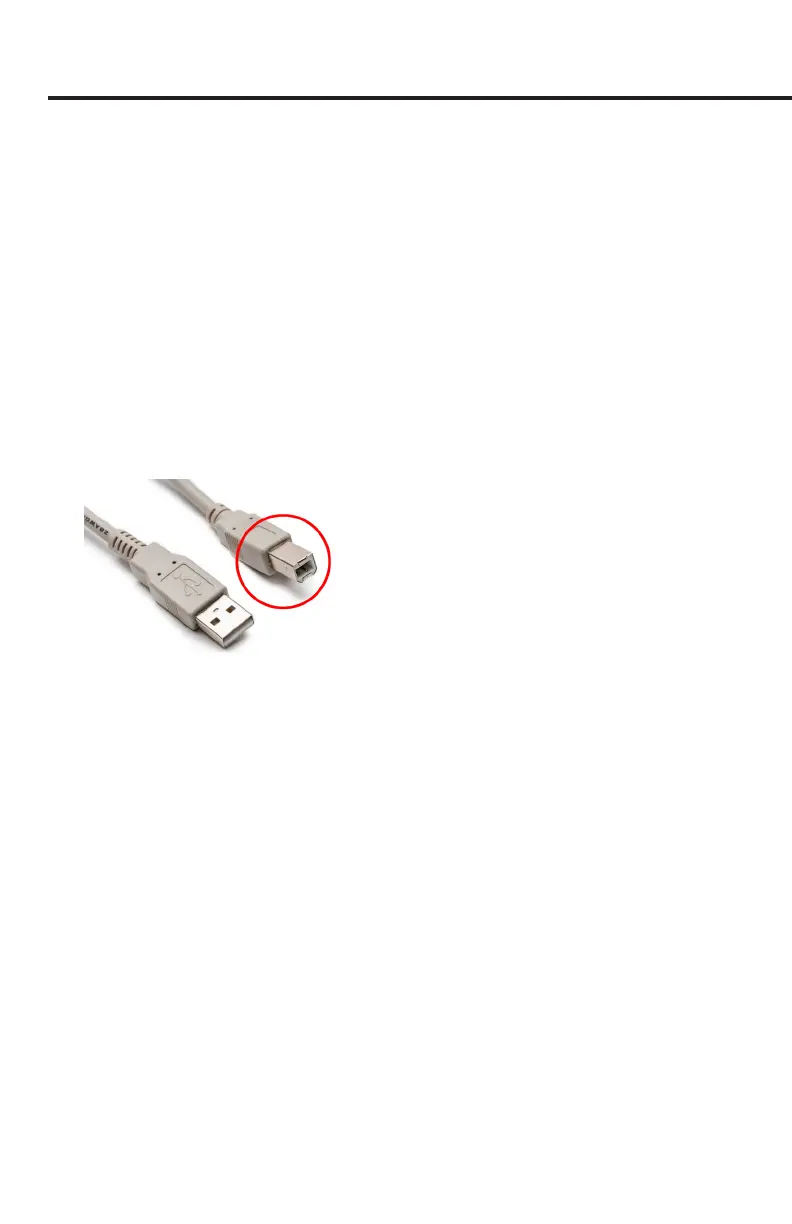
1. Connect the EVOM™ Manual to the USB port of the PC. The active remote
connection port for the EVOM™ Manual service port is in the back of the unit as
a USB-B connector [ marked in red].
Fig. 48—Plug the USB-B (red) connector into the port on the back of the EVOM™ Manual.
The plug-and-play service from Microsoft should install the driver automatically,
however if a driver is not found, there is a driver in the folder on the USB drive
called CDM v2.12.28 WHQL Certied, which can be used install the driver.
2. Plug the USB thumb drive into a USB slot on your PC. If your PC does not have a
spare USB slot, you will have use the Windows option [B] below.
3. Open a Windows Explorer window and navigate to the USB thumb drive folder on
the PC. Run the bat le “WPI_EVOMCNX_3.E.bat.” The program will query the COM
ports in use and inform you as to which port the EVOM™ Manual is connected.
4. Enter the lename for the Output File (ENTER for WPI_EVOM™ Manual.csv). Type
in a lename and add the .csv extension or enter to accept the default.
5. Enter the time between readings in seconds. (Press
Ente
r for minimum delay.)
Enter a time of 0, 1, 2 or 5 seconds. (0 is fastest at about 0.3 seconds.) The
program will run and update until ^X (control X) is typed. The readings are
continuous at 12.5 Hz, always on. The time entered is the averaged reading taken
at that time interval.
6. The default le name is WPI_EVOM™ Manual.csv. This le may be opened in
Microsoft
®
Excel.



 To Next Page