DigiReader Series
P/N 6600025, R
EV. D 9
Valid addresses may be limited by the controller; (see the appropriate controller manual).
When used with an SE422, addresses 01 and 02 should be assigned to nodes 13 (VIP2/DR4200K)
and 15 (DKR), and 14 (VIP2/DR4200K) and 16 (DKR), respectively, see section 6 of the SE422
Installation Manual (p/n 66108328001), under Entry (Door) programming, questions 14 and 15.
Table 6: Valid Switch Settings for Switches 1 and 2
(* See DR4205K SPECIAL OPERATING FEATURE, page 11)
(** See NORMAL MODE, page 11 or PIN/CREDENTIAL MODE, page 12,
respectively, for S-Net address 16, Normal or PIN/Credential explanations)
(*** See TESTING THE DIGIREADER LOCATION, page 18)
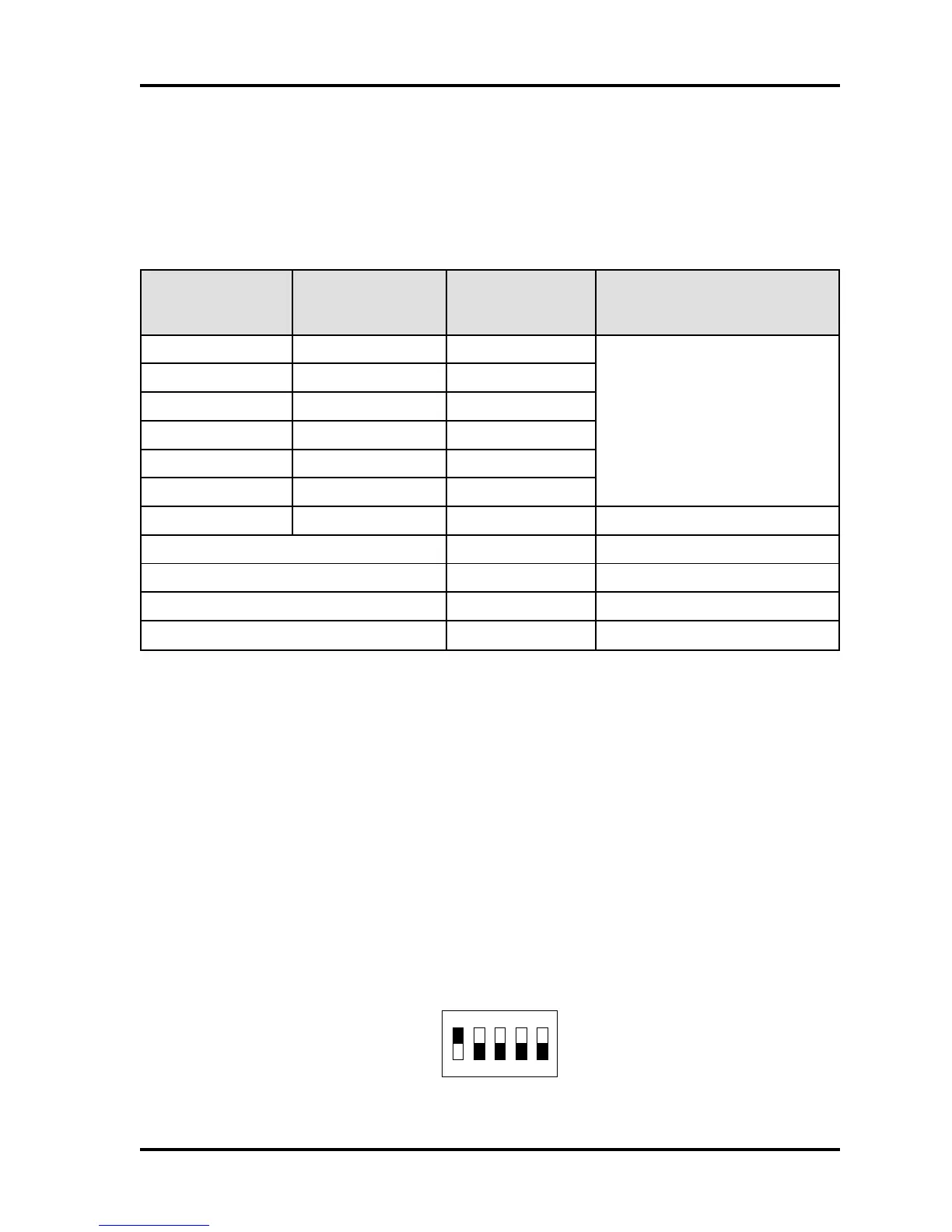
DIP Address Switch for DR4201, DR4208S, and DR4220
The DR4201, the DR4208S, and the DR4220 readers each have a 5-position DIP-switch S1, (as
shown in Figure 4, with S-Net address 1 selected), which combines the functions of the rotary
address switches S1 and S2 used by the other DR4200 Series DigiReaders.
Figure 4: Address (DIP) Switch for DR4201/4208S/4220 Showing Reader Address 1 Selected
*1WS
)edoMlamroN(
*1WS
(NIP/ laitnederC
edoM)
2WS NOITCNUF
06ro5,41
sesserddarooD/redaeR
lamicedaxehF-1
)lamiced51-1(
06ro5,42
...
...
06ro5,4E
06ro5,4F
**8**EroD,C**0lamiced61sserddarooD/redaeR
FA tib-62dnageiW
FB tib-43dnageiW
FE edoMomeD
FF ***edoMtseTFR
NO
12345
FFO
Проектирование. Монтаж. Продажа. - http://vskd.ru



 To Next Page