DigiReader Series
14 P/N 6600025, REV. D
KP-CREDENTIAL MODE
With address switch SW1 set to 4, 5 or 6, the DR4205K operates in its 'KP-Credential' mode. In
the KP-Credential Mode the DigiReader operates in a special manner if only the DKR portion or the
VIP portion of the DigiReader is enabled: see Operation in KP-Credential Mode, below. The number
of digits in the KP-Credential is determined by the 4, 5 or 6 of address switch SW1. Address switch
SW2 determines the physical Reader/Door address of the DR4205K for nodes 1 to 15.
For the physical S-Net addresses 1 through 9, set switch SW1 to the S-Net values and switch SW2
to the number of KP-Credential digits, 4, 5 or 6. For Reader/Door addresses 10 through 15, set
switch SW1 to A through F and switch SW2 to the number of KP-Credential digits 4, 5 or 6.
For the 16th address, for a number of KP-Credential digits equal to 4, 5
or 6, set switch SW1 to C, D or E, respectively, and switch SW2 to 0.
(With both address switches SW1 and SW2 set to 0, a DigiReader is off-line.)
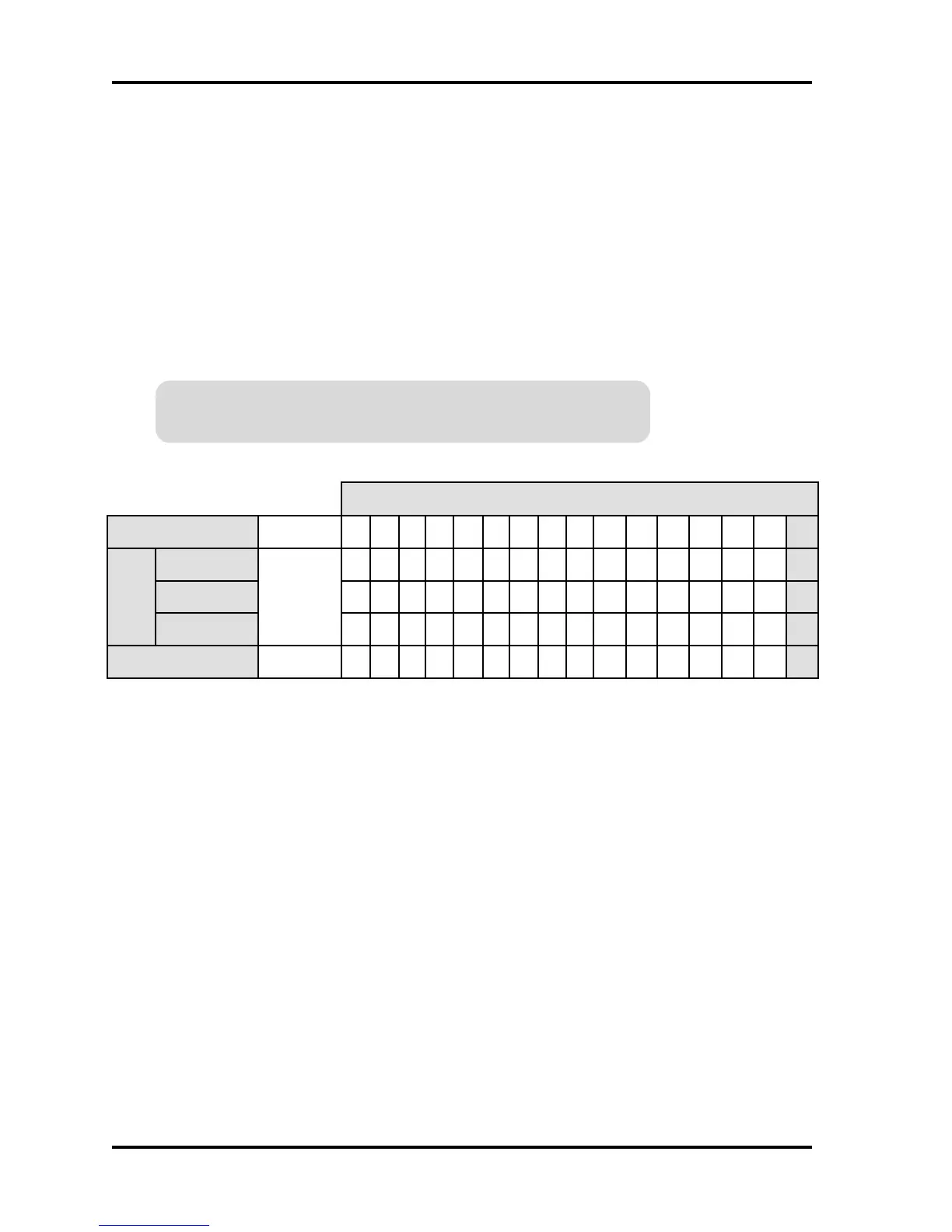
Table 9: DR4205K KP-Credential Mode Switch Settings, Switches SW1 and SW2
Operation in KP-Credential Mode:
NOTE: Enabling only either the DKR or VIP portion, as described below, i.e.deselecting
either the VIP or DKR portion, requires powering off and on (or issuing a RESET
command in the terminal mode) to establish the DKR-only or VIP-only state.
SW1 set to 4, 5, or 6 (or C, D or E): determines the number of KP-Credential digits, 4, 5
or 6, (which must match the number of digits set in the PIN DIGITS entry of the SYSTEM
command).
DKR portion only enabled: a credential presented (or a KP-Credential entered) is sent
as a credential.
VIP portion only enabled: a KP-Credential entered (or a credential presented) is sent as
a PIN.
Both DKR and VIP portions enabled: the operation is the same as for the normal mode.
edoMlaitnederC-PK
sserddAredaeR
)eniL-ffO( 123456789 011121314151
61
1WS
stigiDNIP4
0
444444444444444
C
stigiDNIP5
555555555555555
D
stigiDNIP6
666666666666666
E
2WS
0 123456789A BCD E F
0
Проектирование. Монтаж. Продажа. - http://vskd.ru



 To Next Page