www.xa.com/en 21
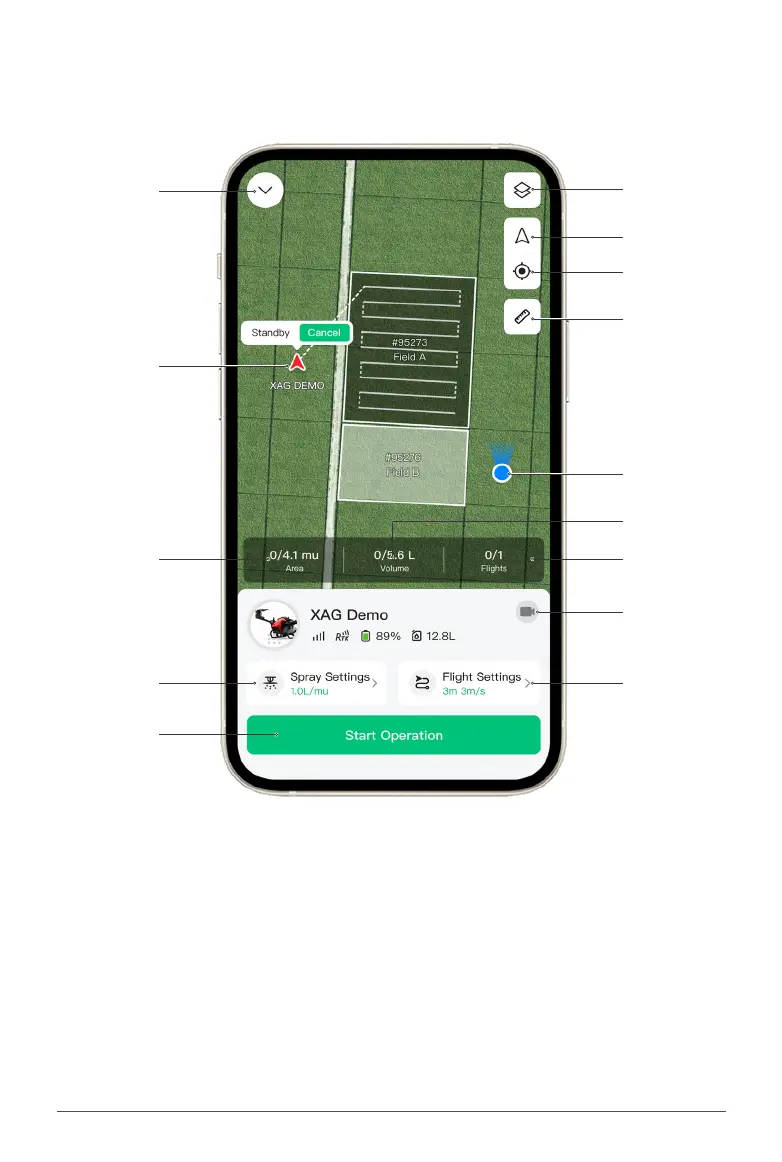
"Operation"Tab
Tap on “Operation” tab to view the operation options.
Return: Return to “Field” Tab (Main)
Operation Area: Area of selected eld
Spraying Settings: Spraying settings
Start Operation: Start operation
Volume Required: Estimated volume required
for current operation
Flights Required: Estimated ights required
for current operation
FPV: First-person-view camera
Flight Settings: Flight settings
Return
Aircraft
Operation Area
Spraying Settings
Start Operation
Map Layers
Focus on Aircraft
Focus on Operator
Measure
Operator
Flights Required
FPV
Flight Settings
Volume Required



 To Next Page