Menu item
Description
Retries for HTTP/FTP Requests
1–299 (3*)
Set the number of retries to connect to the HTTP/FTP
server.
Note: An asterisk (*) next to a value indicates the factory default setting.
UUSSBB
Menu item
Description
PCL SmartSwitch
• Off
• On*
Set the printer to switch to PCL emulation when a
print job received through a USB port requires it,
regardless of the default printer language.
Note: If PCL SmartSwitch is off, then the
printer does not examine incoming data and
uses the default printer language specified in
the Setup menu.
PS SmartSwitch
• Off
• On*
Set the printer to switch to PS emulation when a
print job received through a USB port requires it,
regardless of the default printer language.
Note: If PCL SmartSwitch is off, then the
printer does not examine incoming data and
uses the default printer language specified in
the Setup menu.
Enable USB Port
• Enable*
• Disable
Enable the standard USB port.
MAC Binary PS
• Auto
• On*
• Off
Set the printer to process Macintosh binary PostScript
print jobs.
• This menu item appears only in some printer
models.
• On processes raw binary PostScript print jobs.
• Off filters print jobs using the standard protocol.
Note: An asterisk (*) next to a value indicates the factory default setting.
174
Xerox
®
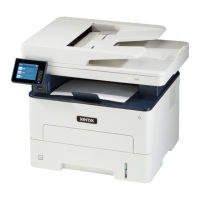
B225/B235 Multifunction Printer
User Guide
Use printer menus


 To Next Page