EasyManua.ls Logo

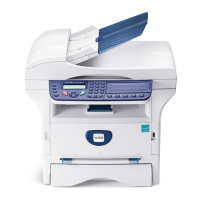
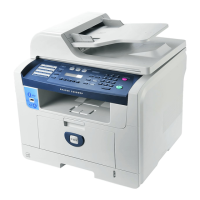
Xerox Phaser 3300MFP - User Manual

Xerox Phaser 3300MFP
148 pages
Print Icon
To Next Page IconTo Next Page
Loading...
Phaser
®
3300MFP
User Guide
Phaser
®
3300MFP
Multifunction Printer

Table of Contents

Other manuals for Xerox Phaser 3300MFP

Questions and Answers

  • J
    Jane WeaverAug 13, 2025
    How to fix Toner Low on Xerox All in One Printer?
    • E
      erodriguezAug 13, 2025
      If your Xerox All in One Printer displays a 'Toner Low' message, it means the print cartridge is almost empty. To temporarily restore printing, remove the print cartridge and shake it thoroughly.
  • A
    Amanda ArnoldAug 16, 2025
    What to do if my Xerox Phaser 3300MFP All in One Printer says Memory Full?
    • L
      Lauren BryanAug 16, 2025
      If your Xerox All in One Printer displays a 'Memory Full' error, it means the memory is full. Delete unnecessary fax jobs to free up memory and then retransmit. Alternatively, split the transmission into multiple smaller operations.
  • T
    Timothy DavisAug 20, 2025
    Why does my Xerox All in One Printer say [No Paper] Add Paper?
    • L
      Lindsey ReedAug 20, 2025
      The '[No Paper] Add Paper' message on your Xerox All in One Printer indicates that the paper tray is empty. Load paper into the tray to continue printing.
  • J
    Joseph WilliamsAug 25, 2025
    What to do if Fuser Door Open on Xerox Phaser 3300MFP All in One Printer?
    • K
      Kenneth GardnerAug 25, 2025
      If your Xerox All in One Printer displays 'Fuser Door Open', it means the fuser door is not securely latched. Open the rear cover and close the fuser door until it locks into place.
  • M
    Mario SanchezAug 28, 2025
    Why are faxes not received automatically on my Xerox All in One Printer?
    • C
      Collin GonzalezAug 28, 2025
      If your Xerox All in One Printer is not receiving faxes automatically, ensure that the receiving mode is set to 'Fax' and that there is paper in the tray.
  • R
    Rebecca SimpsonAug 31, 2025
    How to fix Low Heat Error Cycle Power on Xerox All in One Printer?
    • M
      Michael DavisSep 1, 2025
      If your Xerox All in One Printer displays a 'Low Heat Error Cycle Power' message, it indicates a problem in the fuser unit. Unplug the power cord and plug it back in. If the problem persists, please call for service.
  • B
    Brandon WongSep 4, 2025
    What to do if LSU Motor Error Cycle Power on Xerox Phaser 3300MFP All in One Printer?
    • D
      David PattersonSep 4, 2025
      If your Xerox All in One Printer shows 'LSU Motor Error Cycle Power', it indicates a problem in the LSU (Laser Scanning Unit). Unplug the power cord and plug it back in. If the problem persists, please call for service.
  • S
    Steven HernandezSep 8, 2025
    How to unlock Main Motor on Xerox All in One Printer?
    • A
      Ashley CollinsSep 8, 2025
      If the 'Main Motor Locked' error appears on your Xerox All in One Printer, it indicates a problem with the main motor. Open and then close the front cover to attempt to resolve the issue.

Xerox Phaser 3300MFP Specifications

General IconGeneral
Print TechnologyLaser
Print Speed (Black)Up to 30 ppm
Print ResolutionUp to 1200 x 1200 dpi
Monthly Duty CycleUp to 50, 000 pages
Standard Paper Capacity250 sheets
Display2-line LCD
Duplex PrintingManual
Copier Speed (Black)Up to 30 cpm
Copier ResolutionUp to 600 x 600 dpi
Fax Speed33.6 Kbps
Fax Transmission Speed3 seconds per page
FunctionalityCopy, Print, Scan, Fax
ConnectivityEthernet
First Page Out Time (Black)8.5 seconds
Media Sizes SupportedLetter, Legal, Executive, A4, A5
Scanner TypeFlatbed
Operating System CompatibilityWindows, Mac, Linux
Maximum Paper SizeLegal (216 x 356 mm)

Videos

HOW TO FIX PAGECNT_CRUM.C 594 PAGE ERROR IN XEROX PHASER 3300MFP

Related product manuals