13
②
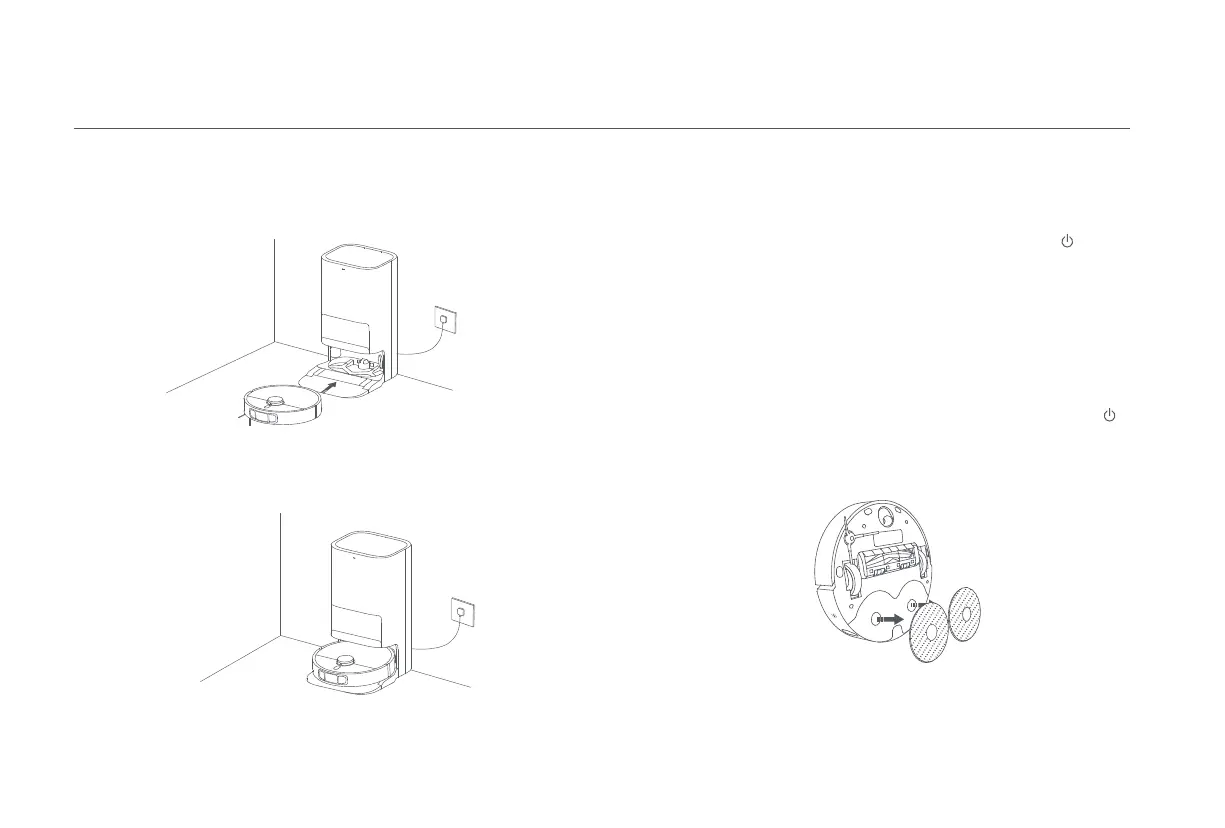
Automatically return to clean mop pads midway
During cleaning, the robot vacuum will automatically return to the omni station
to wash the mop pads after it cleans certain squares of area. Once the mop pads
have been washed, the robot vacuum will resume its cleaning task.
③
Auto dust emptying & mop pad cleaning and air-drying
Once the robot vacuum has completed its cleaning task and returned to the
omni station to charge, the omni station will automatically start emptying dust
and then clean and air-dry the mop pads.
④
Clean the dirty water tank
After the mop pads have been cleaned and air-dried, please clean the dirty water
tank in time to prevent odors.
Vacuuming before Mopping
Vacuuming
Before starting, ensure the mop assembly has been installed onto the robot
vacuum and the clean water tank has been added water. Select the vacuuming
before mopping mode in the app, and use the app or press the button on
the robot vacuum to start the cleaning task, then the robot vacuum will lift the
mop assembly to vacuum. Once it finishes vacuuming, it will return to the omni
station to automatically empty the dust and moisten the mop pads, then it will
lower the mop assembly to start mopping.
Select the vacuuming mode in the app, then use the app or press the button
on the robot vacuum to start cleaning, and the robot vacuum will lift the mop
assembly and start from the omni station to vacuum. Once it finishes vacuuming,
it will return to the omni station to automatically empty the dust compartment.
Note: If the mop assembly is not installed, the robot vacuum will automatically perform the
vacuuming mode after starting.









 To Next Page