12
Notes:
· To prevent the carpets from being wet when mopping, you can manually add carpeted areas in
the app and select a carpet cleaning method.
· When using the robot vacuum for the first time, it is recommended to follow the robot vacuum
throughout the whole process to remove the items that may affect its work.
· If the robot vacuum may get stuck or scratch the surface of furniture in some areas, you can
set restricted areas in the app to prevent the robot vacuum from entering these areas.
· When the robot vacuum runs on an area covered with shaggy rugs, in dark environments, or in
environments with highly reflective surfaces, its performance may to some extent be affected.
· The robot vacuum will moisten the mop pads before starting, please wait with patience.
· Before starting, ensure the omni station is connected to power and the robot vacuum is
connected to the omni station.
· To ensure that the robot vacuum can return to the omni station successfully after completing
vacuuming and mopping, it is recommended to make the robot vacuum start from the omni
station. Do not move the omni station, the clean water tank, the dirty water tank, or the
washboard during cleaning.
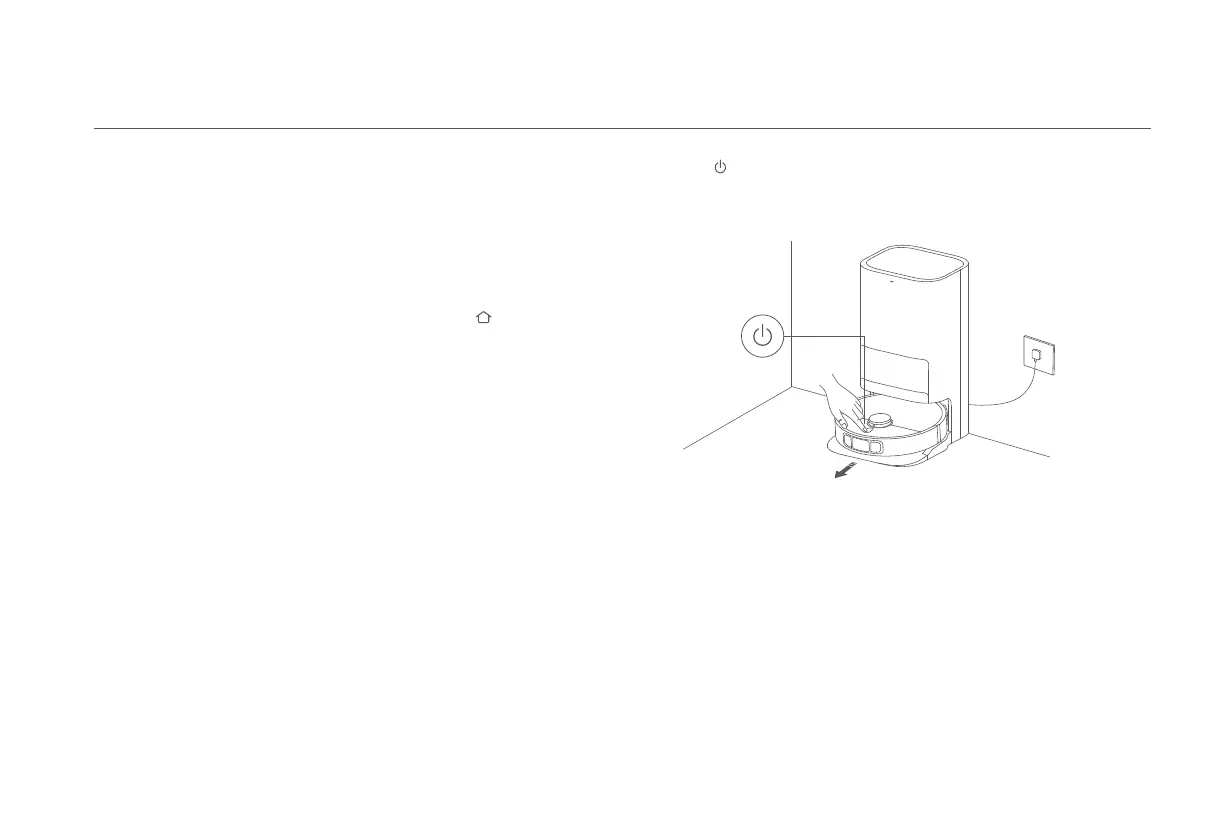
①
Start cleaning
Before starting, ensure the mop assembly and other necessary parts have been
installed onto the robot vacuum and the clean water tank has been added water.
Select the vacuuming and mopping mode in the app, and use the app or press
Vacuuming and Mopping
Dust Emptying
When the robot vacuum automatically returns to the omni station to charge aer
completing a vacuuming and mopping task, a vacuuming before mopping task,
or a vacuuming task, the omni station will automatically start to empty the dust
compartment.
Notes:
· When the robot vacuum returns midway to the omni station to clean mop pads, the station
will not automatically empty the dust compartment.
· If the function of auto dust emptying is disabled in the app, the omni station will not
automatically empty the dust compartment.
Resuming Cleanup
If the robot vacuum starts running low on baery during a cleaning task, it will
automatically return to the omni station to charge. When the robot vacuum is
fully charged, it will resume cleanup where it le off.
Note: When the child lock is enabled, the buttons on the robot vacuum will not work.
Child Lock Settings
To enable or disable the child lock, press and hold the buon on the robot
vacuum for three seconds.
the button on the robot vacuum to make it start from the station. Then the
robot vacuum will plan the optimal cleaning route and perform the cleaning task
based on the created map.









 To Next Page