NetDisk User Manual Network Direct Attached Storage / NDAS
—————————————————————————————————————————————
Using NetDisk Two Basic Modes
NetDisk provides users with two basic functions; Read Only and Read/Write.
• Read Only Mode
- Any number of users can read from a NetDisk.
• Read/Write Mode
- Only one user can write to a specific NetDisk at a time.
- No other users can write to NetDisk, until the current Read/Write access owner passes the Read/Write
access to another user.
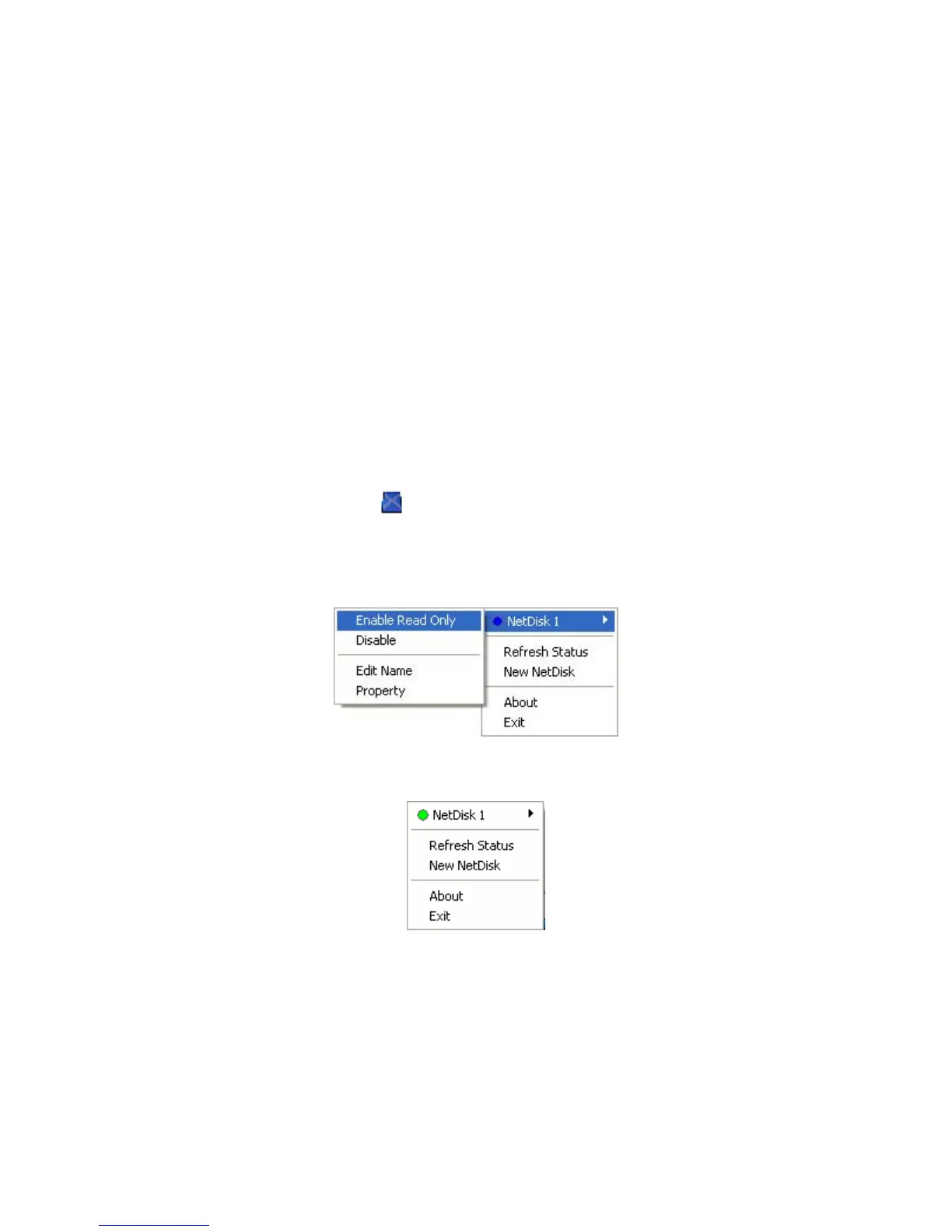
Changing from Read / Write to Read Only
Click NetDisk™ Administrator Tool
and select the NetDisk you want to change from Read/Write to
Read Only.
•
Select Enable Read Only. •
- The Blue Circle will change to a Green Circle indicating Read Only Mode.
Blue Circle indicates Read/Write Mode
Green Circle indicates Read Only Mode
www.XIMETA.de
—————————————————————————————————————————————
16



 To Next Page