NetDisk User Manual Network Direct Attached Storage / NDAS
—————————————————————————————————————————————
Disable NetDisk
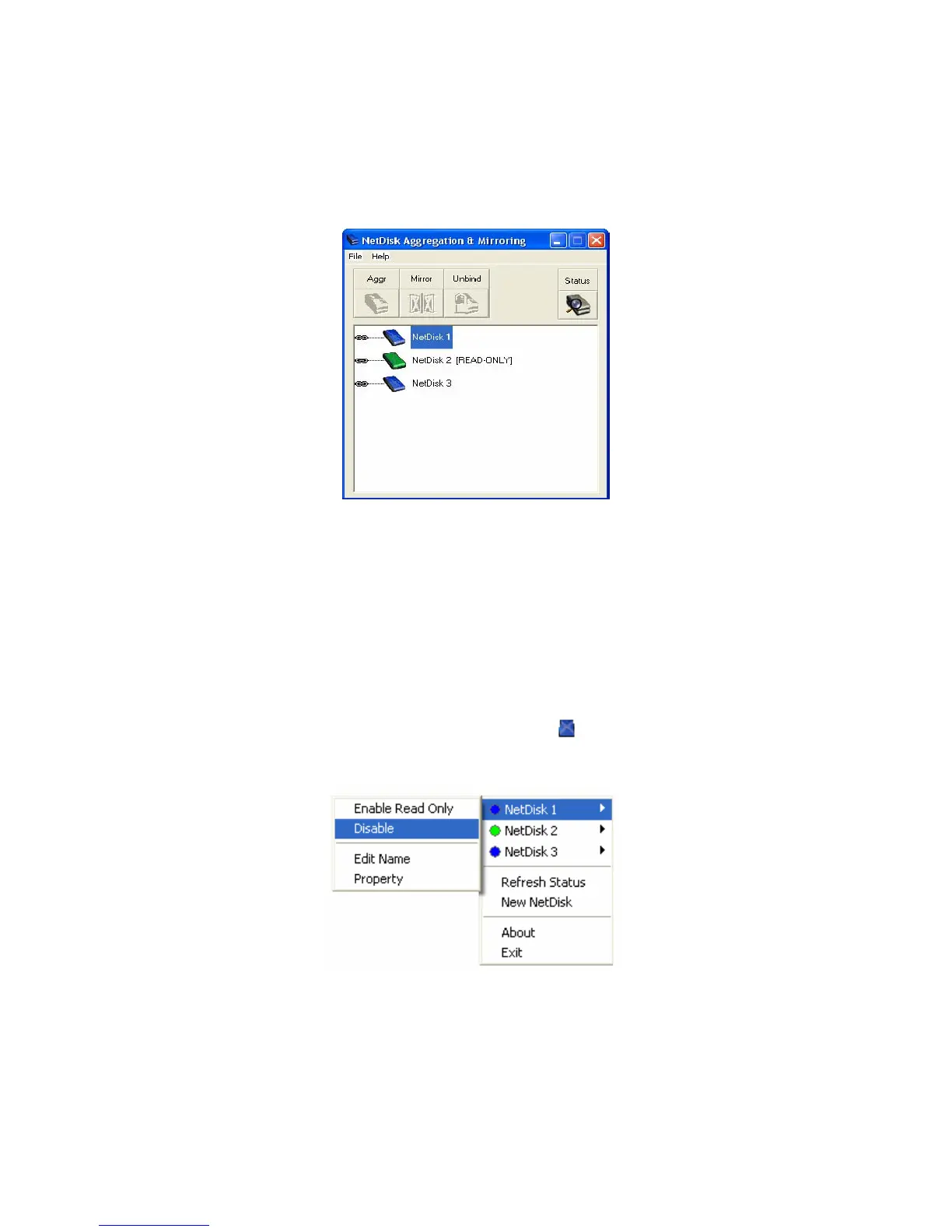
• Click Start > Program > NetDisk > NetDisk Aggregation & Mirroring
- NetDisk Aggregation & Mirroring window displays all the NetDisk installed and registered on
your computer.
- Aggregate / Binding and Mirroring can proceed only if two or more NetDisk are registered on your
computer.
- If two or more NetDisk are listed on the NetDisk Aggregation & Mirroring window, continue to
the next step. Otherwise, go to Add (register) a new NetDisk, to add more NetDisk.
• To disable NetDisk, click NetDisk™ Administrator Tool . Then choose the NetDisk you want to
disable and then select Disable.
NetDisk Administrator - If the NetDisk you selected is in use by an application or user, NetDisk will
not be disabled. Wait until the applications or user is finished using NetDisk. Then try disabling it
again.
•
www.XIMETA.de
—————————————————————————————————————————————
27



 To Next Page