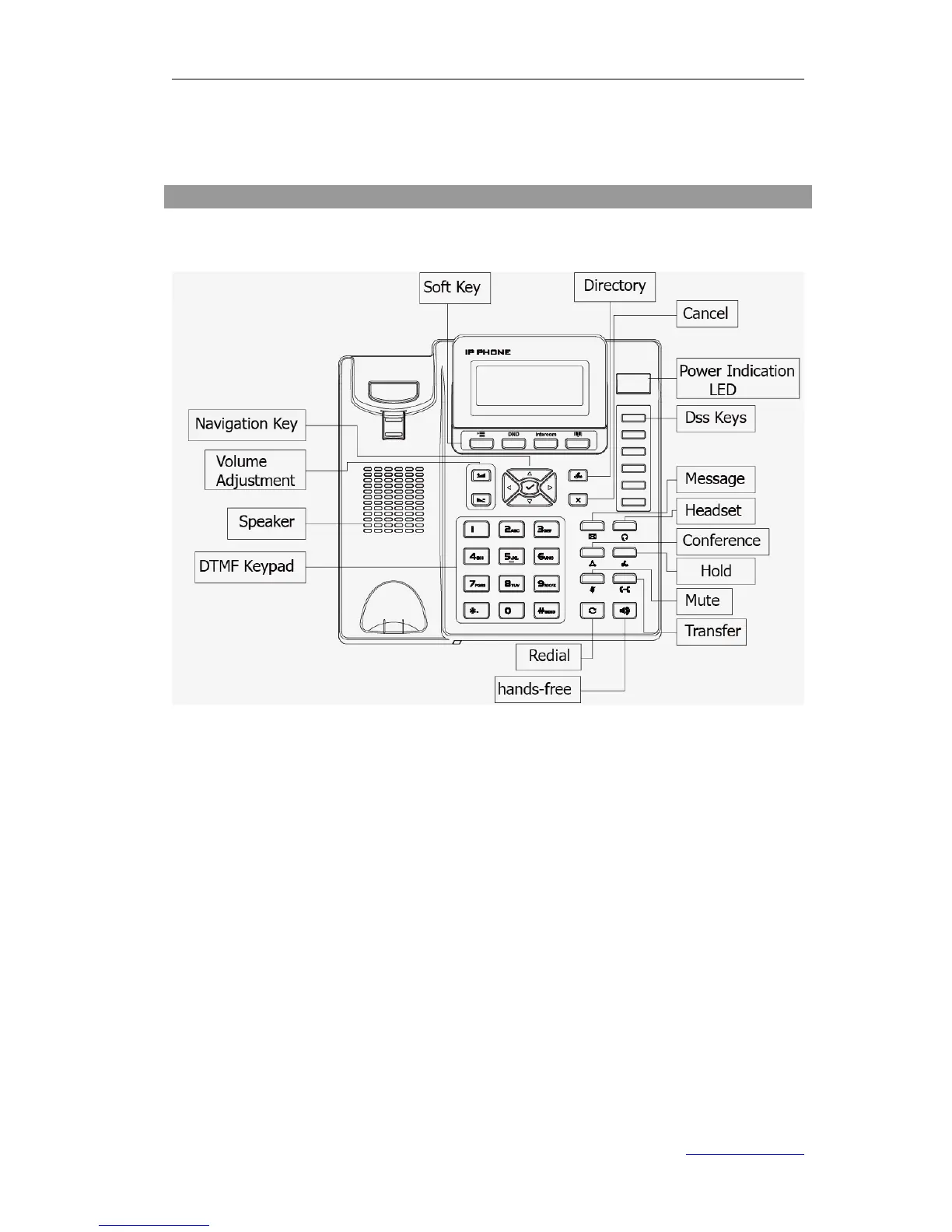
Keypad Instruction
You can check the following list which introduces the IP phone’s keypad in details:
Power Indication LED
It will show the power status, it will be on if the phone is powered, off if the phone is not
powered,and blink when someone calls in or there is a call on mute.
Soft Key
The screen will display labels for these keys, to identify their context-sensitive
functions.
DTMF Keypad
Use the DTMF hard keys to enter numbers, letters and special characters. Depending on
the selected input mode, you can enter digits, lower / upper case or special characters.
DSS Keys
These keys are used for various functions such as Line, Speed dial, Intercom, BLF, URL,
etc. The corresponding LED will light when the assigned function is turned on.



 To Next Page