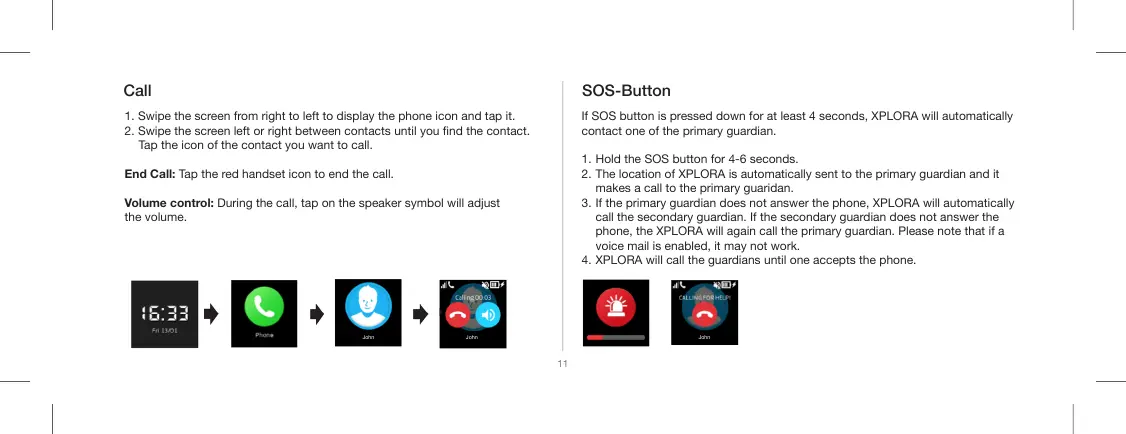
1. Swipe the screen from right to left to display the phone icon and tap it.
2. Swipe the screen left or right between contacts until you nd the contact.
Tap the icon of the contact you want to call.
End Call: Tap the red handset icon to end the call.
Volume control: During the call, tap on the speaker symbol will adjust
the volume.
Call SOS-Button
If SOS button is pressed down for at least 4 seconds, XPLORA will automatically
contact one of the primary guardian.
1. Hold the SOS button for 4-6 seconds.
2. The location of XPLORA is automatically sent to the primary guardian and it
makes a call to the primary guaridan.
3. If the primary guardian does not answer the phone, XPLORA will automatically
call the secondary guardian. If the secondary guardian does not answer the
phone, the XPLORA will again call the primary guardian. Please note that if a
voice mail is enabled, it may not work.
4. XPLORA will call the guardians until one accepts the phone.
11
John John John


 To Next Page