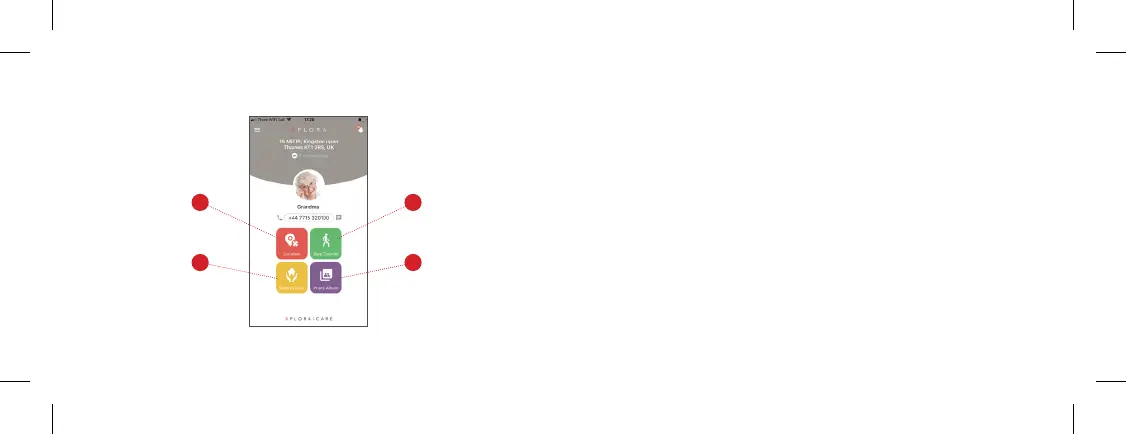
Main Menu: Location, Step Counter, Safety Zone, and Photo Album
1. Location: you can refresh the latest location as well as the previous location history.
2. Step Counter: you can review the steps by pedometer.
3. Safety Zone: set safety zones and receive push notications from the app when XPLORA
enters or leaves the zones.
4. Photo album: you can add pictures from your smartphone to XPLORA’s photo album.
2
4
1
3
23


 To Next Page