Send location
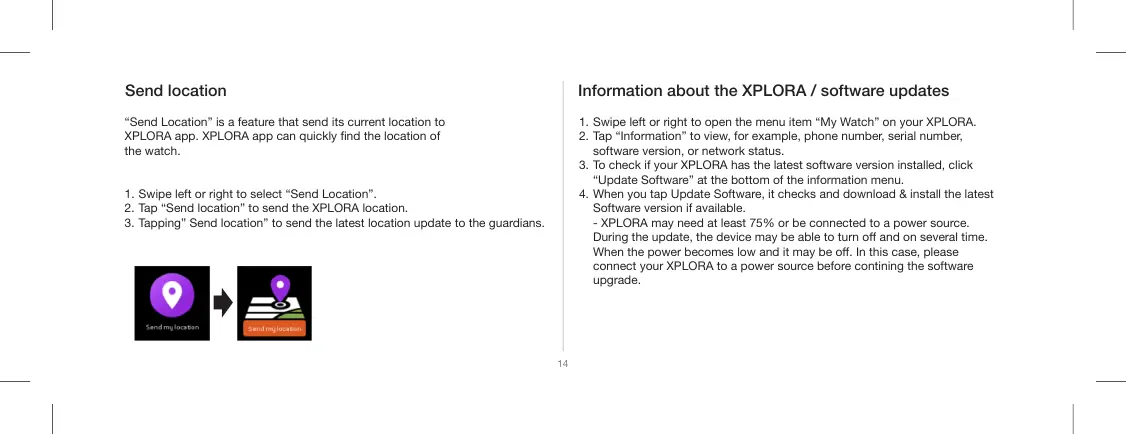
“Send Location” is a feature that send its current location to
XPLORA app. XPLORA app can quickly nd the location of
the watch.
1. Swipe left or right to select “Send Location”.
2. Tap “Send location” to send the XPLORA location.
3. Tapping” Send location” to send the latest location update to the guardians.
1. Swipe left or right to open the menu item “My Watch” on your XPLORA.
2. Tap “Information” to view, for example, phone number, serial number,
software version, or network status.
3. To check if your XPLORA has the latest software version installed, click
“Update Software” at the bottom of the information menu.
4. When you tap Update Software, it checks and download & install the latest
Software version if available.
- XPLORA may need at least 75% or be connected to a power source.
During the update, the device may be able to turn o and on several time.
When the power becomes low and it may be o. In this case, please
connect your XPLORA to a power source before contining the software
upgrade.
Information about the XPLORA / software updates
14


 To Next Page