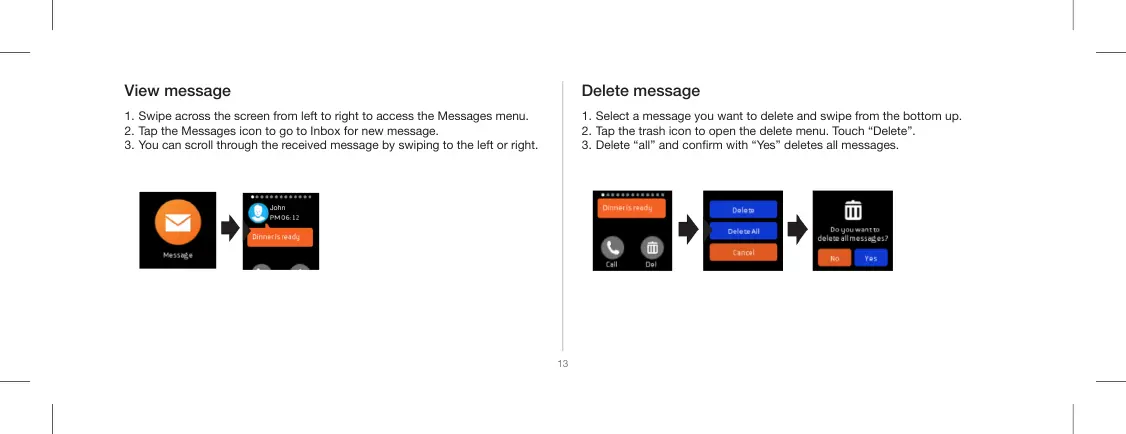
View message
1. Swipe across the screen from left to right to access the Messages menu.
2. Tap the Messages icon to go to Inbox for new message.
3. You can scroll through the received message by swiping to the left or right.
1. Select a message you want to delete and swipe from the bottom up.
2. Tap the trash icon to open the delete menu. Touch “Delete”.
3. Delete “all” and conrm with “Yes” deletes all messages.
Delete message
13
John


 To Next Page