Create an account in the XPLORA app
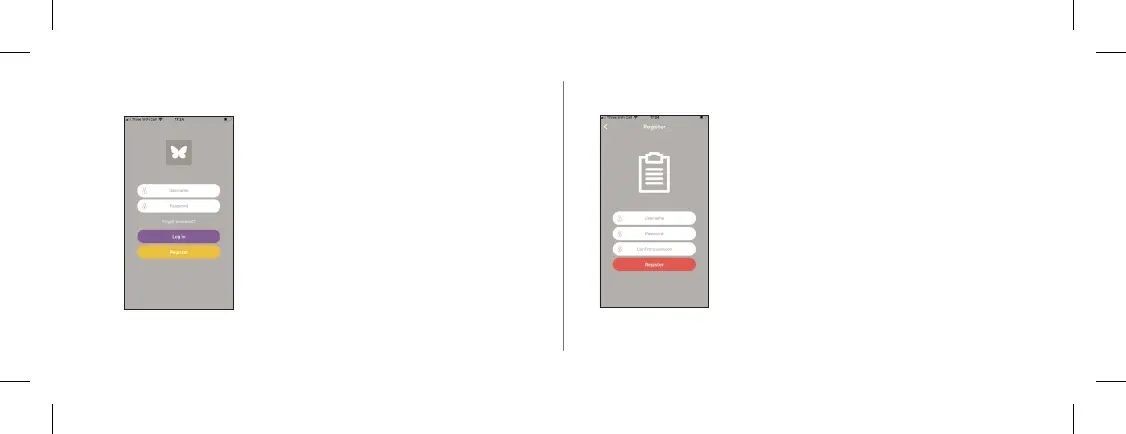
If you already have an account:
1. Enter your username and your password.
2. Then tap on “Log in”.
If you have not set up an account yet,
click on “Create account”.
Create account
1. Choose an account name at least 6 characters
long.
2. Choose a password that is at least 6 characters
long.
3. Conrm your password by clicking it Re-enter.
4. Tap on “Create account”.
17


 To Next Page