Customer calibration
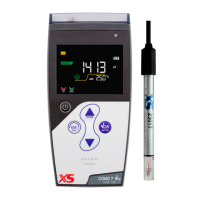
example of calibration at 147μS/cm
Select CUS in the setup menu P2.2; the meter enters into customer-defined calibration mode. When press
LCD shows blinking CUS at the top right, indicating that the meter enters into customer-defined calibration and
the display gets blue color.
Rinse the electrode in pure water, allow it to dry, and submerge it in 147 μS/cm standard solution. Stir the solution
briefly and allow it to stay in the solution until a stable reading is reached and stability icon appears on LCD.
When press key, the measuring value blinks. “CUS” icon appears at the right top of the screen. Press
and key to adjust the measuring value to 147 μS/cm, and press key to calibrate the meter. After the
calibration is done, the screen shows “End” icon and returns to the measurement mode.
Note: When there is no temperature sensor and manual temperature compensation (MTC) is adopted, the
temperature value blinks when press key, press and key to adjust the temperature value,
and when press key, conductivity value blinks.
Only 1-point calibration for customer-defined calibration. The value set in “customer-defined” is at a fixed
temperature. There is no regulations of temperature coefficient and reference temperature. The meter has to
perform calibration and measurement at the same temperature to avoid large error. The meter cannot recognize
customer-defined calibration solution.
As for the standard calibration also in customer calibration the meter show on the LCD one icon indicating the
suited range.
Press key when icon appears,
to confirm the calibration, the meter enters
into measurement mode automatically.


 To Next Page