Need help?
Do you have a question about the XS Instruments 7 Vio and is the answer not in the manual?
Explains warning terms and symbols for hazard identification.
Lists supplementary documents providing extra safety information.
Defines the instrument's intended use and prohibits unauthorized applications.
Outlines essential conditions and requirements for safe instrument operation.
Specifies conditions under which the instrument must not be operated.
Provides guidance on cleaning and general maintenance procedures.
Defines the owner's responsibility for user safety and risk management.
Lists the measurement parameters supported by different instrument models.
Provides detailed technical specifications and data for the instrument.
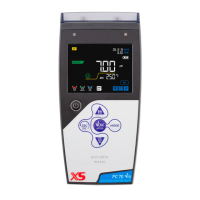
Describes the instrument's main display interface and its elements.
Details the function of each button on the instrument's keypad.
Explains the meaning of the two-colour LED for system status indication.
Lists all items included in the instrument's package.
Guides the user through initial setup and readiness for use.
Instructions for powering the instrument on and off.
Step-by-step guide for replacing the instrument's batteries.
Recommendations for safe transportation of the instrument.
Explains the function of each button for various operations.
Details the available ports and how to connect probes and peripherals.
Explains the meaning of various symbols and icons shown on the display.
How to navigate through different measurement parameters on the display.
Outlines the order of parameters displayed during operation.
Introduces the setup menu and navigation method.
Details the hierarchical structure of the setup menus for various parameters.
Explains Automatic and Manual Temperature Compensation methods.
Guides through configuring pH measurement settings.
How to view calibration data and check slope.
Restores pH parameter settings to factory defaults.
Step-by-step guide for performing a three-point automatic pH calibration.
Instructions for performing pH calibration using custom buffer values.
How to connect, prepare, and take pH measurements.
Information on using sensors with built-in calibration data memory.
Explains common errors encountered during pH calibration.
How to measure and interpret mV readings from the pH sensor.
Guides through configuring ORP measurement settings.
Steps for performing automatic ORP calibration with a standard solution.
Explains the principles of conductivity measurement.
Guides through configuring conductivity measurement settings.
How to select the appropriate cell constant for accurate conductivity readings.
Options for automatic or custom calibration of conductivity.
Explains temperature compensation for conductivity measurements.
Step-by-step guide for automatic conductivity calibration.
Instructions for performing manual conductivity calibration.
Explains common errors encountered during conductivity calibration.
How to connect, prepare, and take conductivity measurements.
Guides through configuring TDS measurement settings.
Introduces the general instrument setup menu.
Allows selection of temperature units (°C or °F).
Options for adjusting display backlight contrast.
Allows selection of display brightness levels.
Configuration options for the instrument's sleep mode.
Allows selecting which parameters are displayed in measure mode.
Restores instrument settings to factory defaults.
Details the warranty terms, coverage, and exclusions.
 General
| Brand | XS Instruments |
|---|---|
| Model | 7 Vio |
| Category | Measuring Instruments |
| Language | English |

 To Next Page