Need help?
Do you have a question about the XS Instruments 60 VioLab Series and is the answer not in the manual?
Explains warning words like ATTENTION, WARNING, NOTE and symbols for risk indication.
Defines ATTENTION and WARNING terms based on risk levels for user safety.
Lists supporting documents like operating manuals and safety data sheets for safe use.
Specifies laboratory use only and adherence to technical specifications for safety.
Details requirements like using supplied power supply and environmental conditions.
Lists conditions under which the instrument must not be run, e.g., visible damage.
Recommends occasional cleaning with damp cloth and mild detergent.
Defines owner's responsibility for user safety and risk management.
Lists parameters for pH, Cond, and PC models (pH, mV, ORP, Temp, TDS, Sal).
Provides technical specifications for pH, mV, ORP, Conductivity, TDS, Salinity, and System.
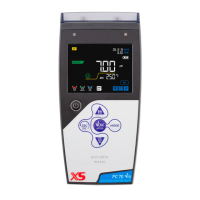
Details the instrument's display elements like measurement parameter, date/time, stability.
Explains the functions of each button on the instrument's keyboard.
Describes the function of the two-colour LED for system status indication.
Lists accessories included with the instrument for initial setup.
Instructions for placing and preparing the instrument for operation.
Steps for connecting the instrument to the power source safely.
Procedure for turning the instrument on, setting date/time, and powering off.
Guidelines for safely moving the instrument to prevent damage.
Explains the function of each button on the instrument's interface.
Describes how to connect probes and other accessories.
Explains the meaning of various symbols and icons shown on the instrument's screen.
Illustrates the order in which parameters can be viewed in measure mode.
Accesses settings related to pH measurement parameters.
Accesses settings related to ORP measurement parameters.
Accesses settings related to Conductivity measurement parameters.
Accesses settings related to TDS measurement parameters.
Accesses settings related to Data Logger function.
General settings for the instrument.
Detailed breakdown of the setup menu hierarchy and options.
Guides through the setup process for pH measurement.
Details the menu structure and options for pH parameter setup.
Selects buffer families for electrode calibration.
Sets the resolution for pH measurement readings.
Defines criteria for determining measurement stability.
Views or prints information about the last pH calibration performed.
Sets a deadline for the next pH calibration, important for GLP.
Resets pH parameters to factory default settings.
Allows adjustment of temperature offset for accurate readings.
Guides through the setup menu for ORP parameters.
Details the setup menu structure for ORP settings.
Sets a deadline for the next ORP calibration, important for GLP.
Resets ORP parameters to factory default settings.
Allows adjustment of temperature offset for ORP measurements.
Explains the scientific basis and definition of conductivity measurement.
Guides through the setup menu for conductivity settings.
Selects the appropriate cell constant for conductivity measurements.
Selects automatic or manual calibration methods for conductivity.
Explains temperature compensation for conductivity vs pH.
Sets the reference temperature for conductivity measurements.
Details how to change the temperature compensation factor.
Views or prints information about the last conductivity calibration.
Sets a deadline for the next conductivity calibration for GLP.
Resets conductivity parameters to factory default settings.
Details the TDS measurement and its conversion from conductivity.
Explains the definition and measurement of salinity.
Guides through the setup menu for the Data Logger function.
Details the setup menu structure for Data Logger settings.
Selects the data acquisition mode (manual or automatic).
Clears saved data from the instrument's internal memory.
Selects where recorded data should be saved (memory or printer).
Selects the format for printing data from the Data Logger.
Demonstrates how to set up automatic pH recording.
Demonstrates how to set up manual Conductivity recording.
Shows how to manually print a pH value with calibration data.
Details the setup menu structure for general instrument settings.
Selects the unit of temperature measurement (°C or °F).
Updates the instrument's internal date and time.
Adjusts the brightness level of the instrument's display.
Configures which parameters are displayed in measure mode.
Restores all instrument settings to factory defaults.
Overview of the software's capabilities like download, export, and display.
 General
| Brand | XS Instruments |
|---|---|
| Model | 60 VioLab Series |
| Category | Measuring Instruments |
| Language | English |


 To Next Page