2.3 DOWNLOAD & UPDATE SOFTWARE
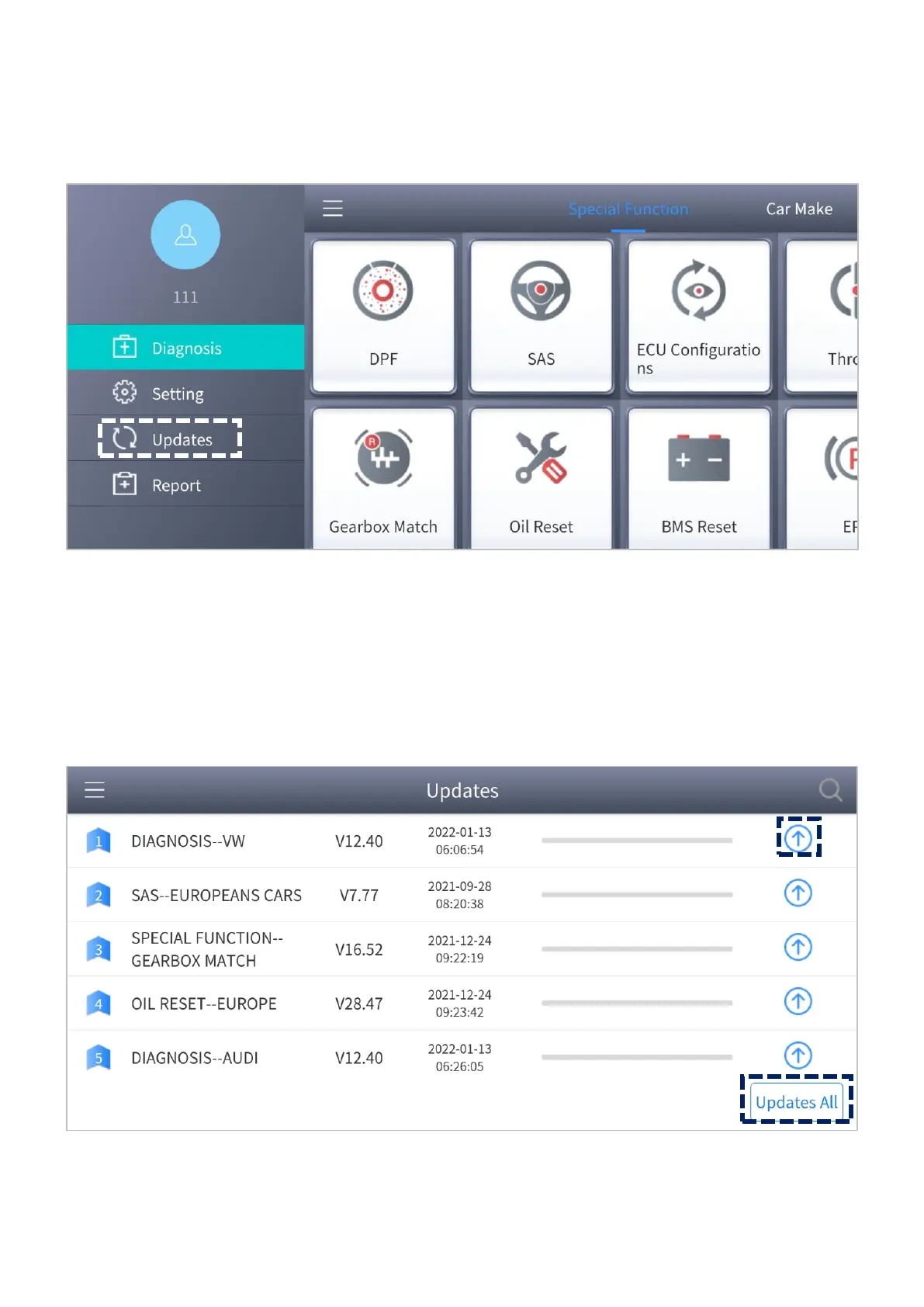
Click the Updates button to enter the updates interface.
Figure 2-4 Sample of the main menu screen
All the available software is shown on this page. You can choose to download the specific
software individually by pressing the arrow button next to the required software or
choose to update all available software at once by pressing Updates All.
Figure 2-5 Sample of updates interface



 To Next Page