3 DIAGNOSIS
The diagnosis function can read ECU information, read and clear DTC and display live data
and freeze frame. The diagnosis function can also access the electronic control unit (ECU)
of all available vehicle control systems, including the engine, transmission, anti-lock
braking system (ABS), airbag system (SRS), body control module (BCM), battery
management system (BMS), tire pressure monitoring system (TPMS), steering and
suspension system (SAS) and perform various actuation tests.
Diagnosis can only be performed when the ASD60 is connected to a mobile device through Bluetooth
successfully and the LED indicator lights solid.
3.1 DIAGNOSIS
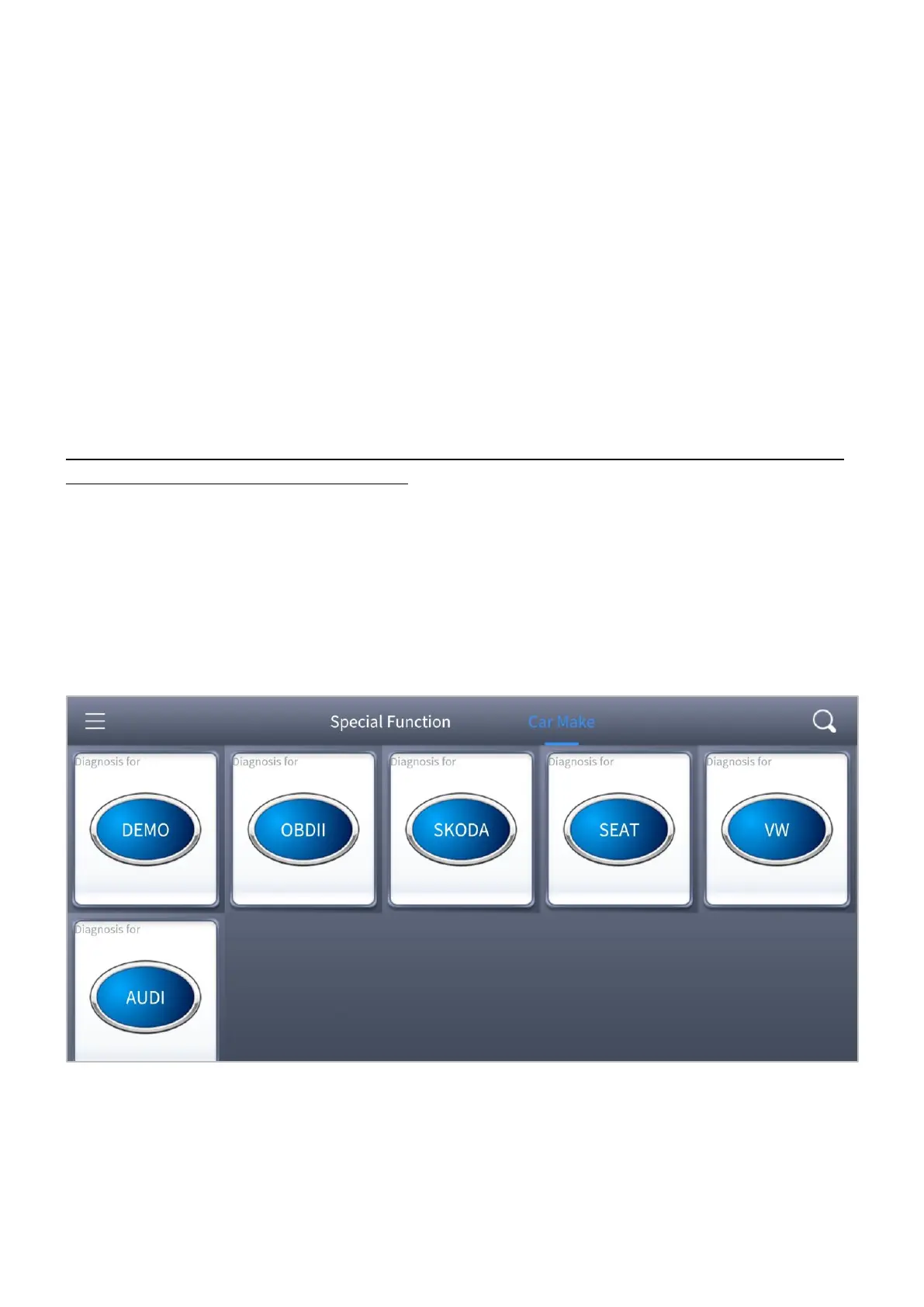
Click the Car Make menu on top of the screen, all the brands will be shown and you can
click the corresponding brand, and start the diagnosis process.
Figure 3-1 Sample of the main menu screen
For some of the vehicle brands (like Volkswagen), when you click on the software, there
are several ways to select the model or system you want to run a diagnosis, including
Automatic Detection, Manual Selection, and System Selection.


 To Next Page