VESDA by Xtralis
VESDA Accessories Guide
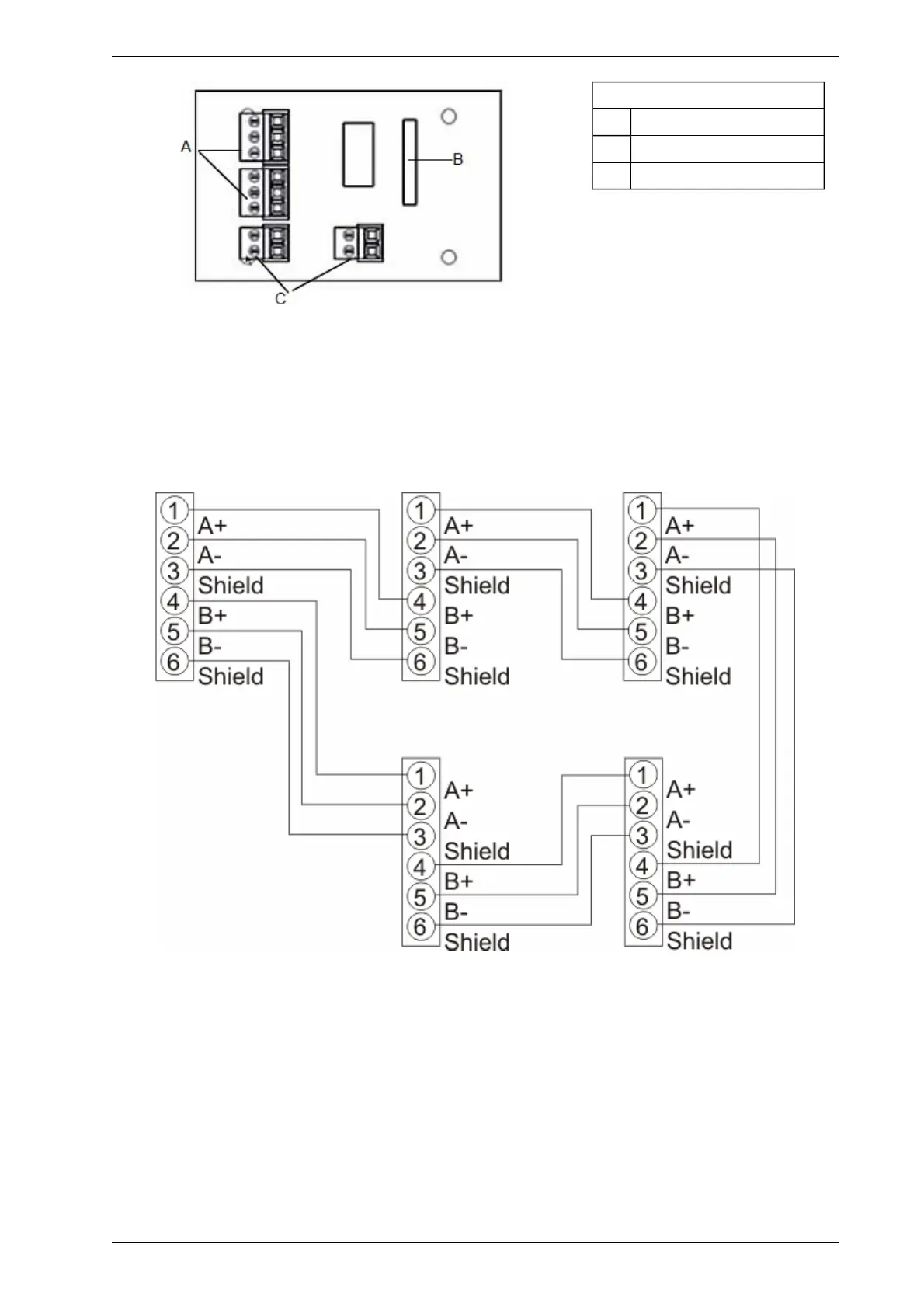
Legend
A VESDAnet Terminals
B 10 Pin Connector
C Power supply terminals
Figure 4-5: VESDAnet Interface Socket Card
4.3.2 Operation of VESDAnet Socket
The VESDAnet socket is connected to the (24 VDC) VESDAnet socket card. The terminals on the
VESDAnet socket card enable VESDAnet communication wires to be brought into the VESDAnet socket
module and looped out to another device. Data communication on VESDAnet is bidirectional. The polarity of
the data wires must be maintained throughout the network. It is recommended that RS 485 (Belden 9841 - 120
ohm) twisted pair cables be used, however compatible cabling can be used.
Figure 4-6: VESDAnet Wiring (Closed Loop)
www.acornfiresecurity.com
www.acornfiresecurity.com














 To Next Page