VESDA by Xtralis
VESDA Accessories Guide
4.1.5 Mounting a Display Module
The display module is easily snapped into place in a detector, remote mounting box, or the 19” subrack.
4.1.6 Wiring up the Display Module
The display module is connected to the remote termination card. For further information refer to Wiring
Remote Systems on page 11.
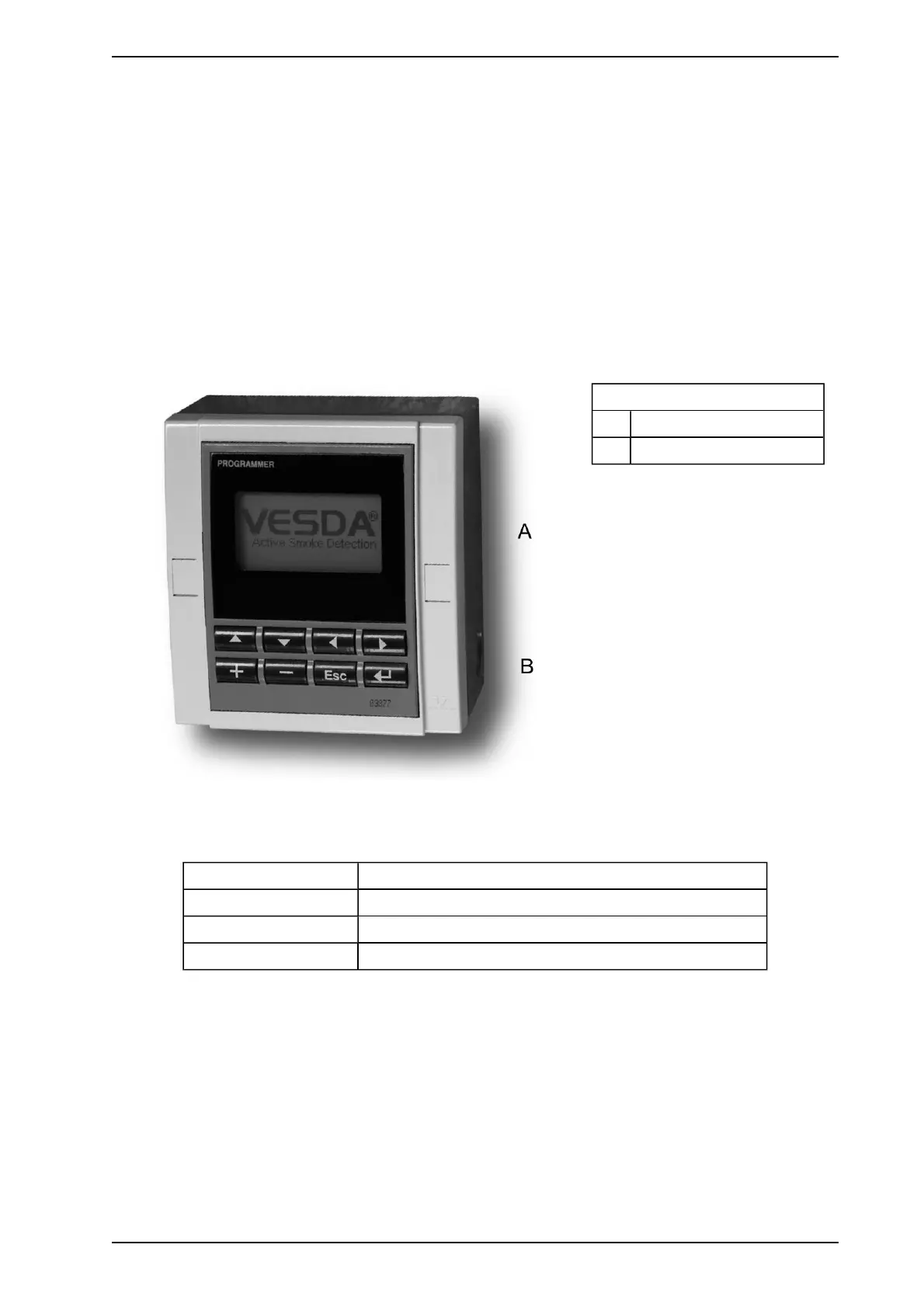
4.2 LCD Programmer
The VESDA LCD Programmer allows configuration, commissioning and maintenance of the VESDA system.
It is used to program and maintain the detector. The LCD Programmer Module can be mounted into a detector,
remote box, or a 19” Subrack. It is also available as a Handheld model. For detailed description and use of the
LCD Programmer please refer to the VESDA LCD Programmer Product Manual.
Legend
A Display
B Keys
Figure 4-2: The LCD Programmer Module
4.2.1 LCD Programmer Specifications
Supply Voltage 18 to 30 VDC
Dimensions (WHD) 105 mm (4.1 in.) x 130 mm (5.3 in.) x 26 mm (1.02 in.)
Operating Temperature 0° to 39° C (32° F to 103° F)
Humidity 10-99 % RH non-condensing
www.acornfiresecurity.com
www.acornfiresecurity.com














 To Next Page