VESDA Accessories Guide
VESDA by Xtralis
3.1.1 Product Information
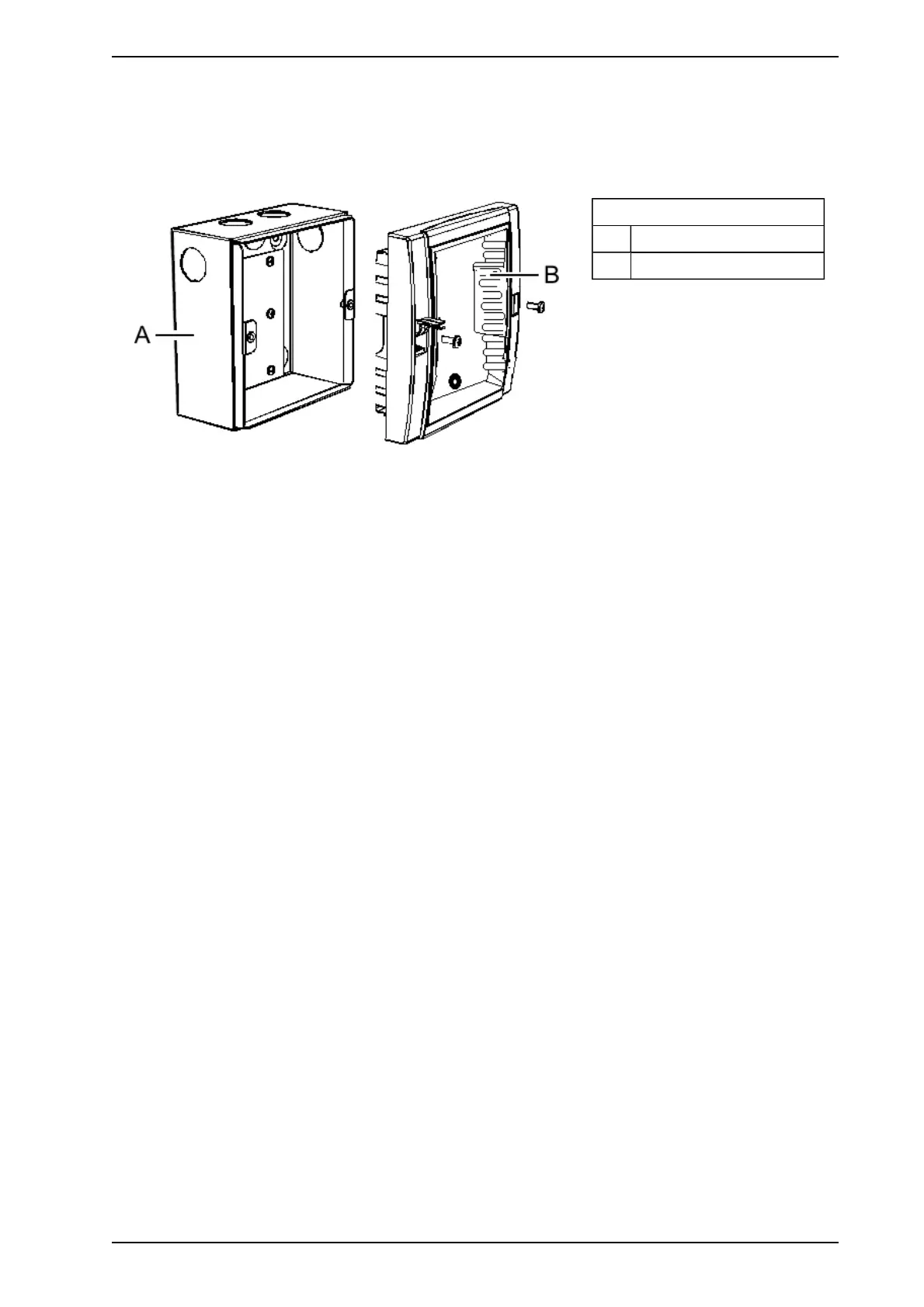
The remote box comes in two sections. The mounting box to house the remote termination card or VESDAnet
socket card and the front cover to mount the module with a processor card. The VESDAnet socket does not
have a relay processor card.
Legend
A Mounting Box
B Front Cover
Figure 3-2: Remote Box
3.1.2 Mounting a Remote Box
The remote box can be mounted on any flat surface. To mount the remote box, first unscrew the front cover.
Then use the four screw holes to secure the mounting box onto a flat surface ensuring that it is horizontally
straight. Connect the power and VESDAnet cables and replace the front cover. The dimensions of the box are
width 140 mm (5.5 in), height 150 mm (5.9 in) depth 70 mm (2.75 in).
3.1.3 Cabling the Remote Box
The remote box has six cable entry ports. Determine the port most appropriate for use and press out the
knockouts taking care not to damage any relays or terminals on the remote termination card.
www.acornfiresecurity.com
www.acornfiresecurity.com














 To Next Page