CHAPTER 2 - BACKUP & SEARCH
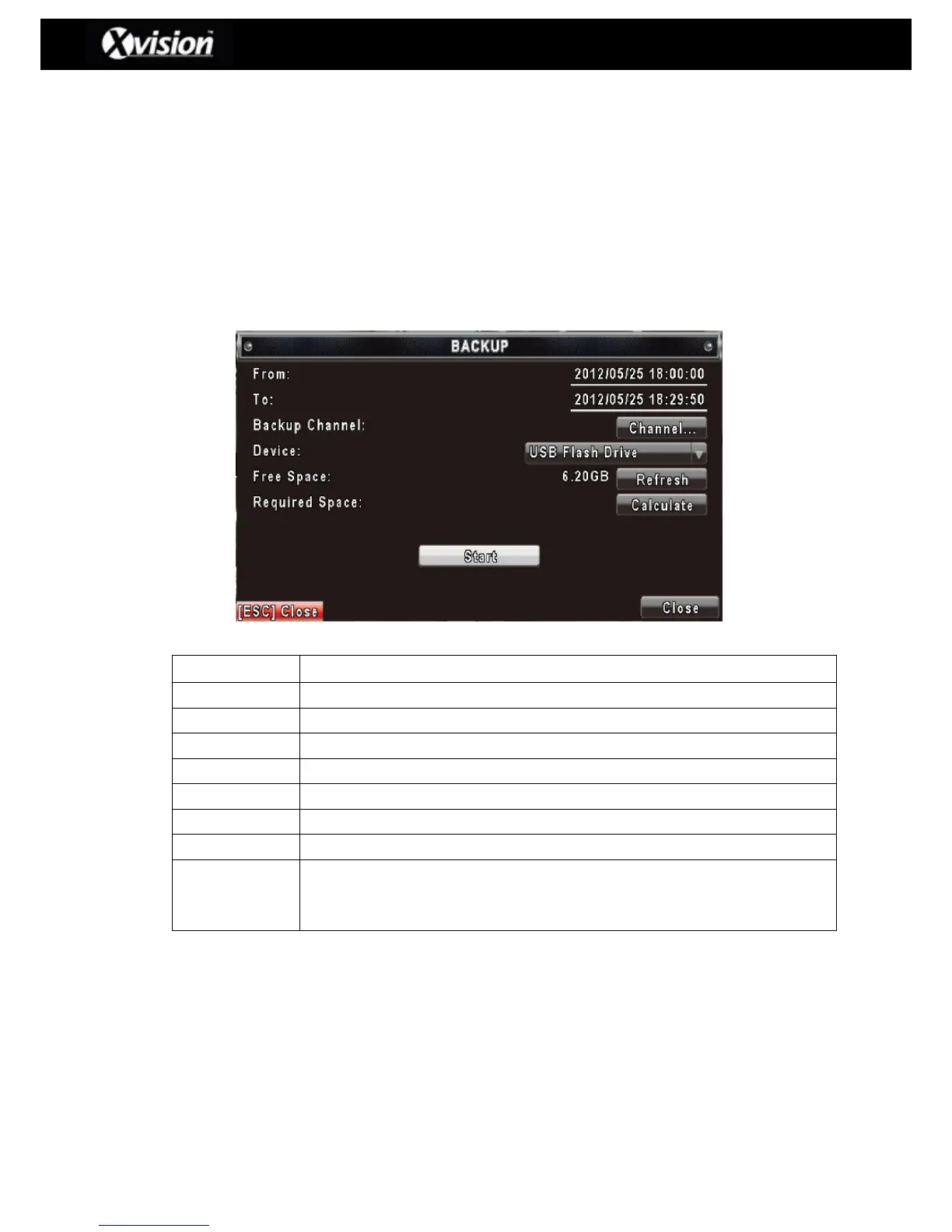
2-1 BACKUP SETUP
Users can backup any segment of recorded data within a specified time frame, using a USB
memory device which must be connected to the DVR.
The backup file that is produced by the DVR is an IRF file which is designed to be played back
with the software called ‘Ifileplay’ and ‘CMS’.
Please Note: When using a USB flash drive to backup data, the DVR will automatically
copy the ‘Ifileplay’ software onto the USB flash drive.
The start time of the backup file.
The end time of the backup file.
Select the USB or PC as the backup device.
The available space on your backup device (not available for PC backup).
Recalculate the available space of backup device (not available for PC backup).
Displays the size of the backup file.
Refreshes the calculation of the size of backup file.
Commences the backup file function.
Please ensure that the backup device has enough space before
commencing the backup procedure.
Please Note: Do not turn off the power to the DVR or remove the USB device whilst
upgrading as it may cause an incomplete firmware upgrade and may damage the DVR.



 To Next Page