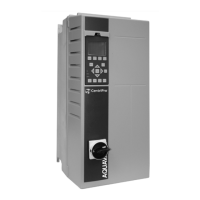
The Aquavar Intelligent Pump Controller (IPC) is a device designed for efficient and precise control of pumping systems. It offers a comprehensive suite of features for various applications, ranging from single pump setups to more complex multi-pump configurations, and is equipped with a user-friendly interface to simplify commissioning and operation.
Function Description
The core function of the Aquavar IPC is to regulate pump operation based on specific application requirements, such as maintaining constant pressure, controlling flow, or managing liquid levels. It achieves this through a variable speed drive that adjusts motor speed to match demand, optimizing energy consumption and system performance.
The controller supports several operating modes:
- Single Pump Control: This is the default mode for applications involving one pump and one controller, suitable for constant pressure, level, or flow control.
- Constant Slave Control: In this mode, the IPC manages one variable speed pump and can integrate up to two additional constant speed lag pumps. The lag pumps require separate starting devices. This setup is ideal for systems requiring additional capacity beyond what a single variable speed pump can provide.
- Duplex Control: This advanced mode is designed for systems with two variable speed pumps, each equipped with its own controller. It allows for coordinated operation, including features like alternation and duty standby, to ensure balanced wear and continuous service.
- Speed Control: The IPC can receive an external speed command, allowing it to function as a speed controller for the motor.
- Test Run Mode: This mode facilitates system testing by ramping the motor to a specific speed, useful during commissioning or troubleshooting.
The IPC integrates various control units (e.g., psi, GPM, ft.) to suit different application needs. It also incorporates flow compensation, which adjusts the setpoint based on speed/flow to counteract system head loss, ensuring consistent performance even with varying conditions.
Usage Features
The Aquavar IPC is designed for ease of use, primarily through its proprietary Start-Up Genie. This guided, step-by-step programming interface simplifies commissioning and configuration, even for complex applications. The Genie leads users through 11 sections covering motor parameters, application type, feedback, setpoint, flow compensation, pump protection, digital inputs, relay and analog outputs, and communication settings.
Key usage features include:
- Intuitive Setup Selection: The main setup screen allows users to quickly navigate to specific configuration sections.
- Motor Parameter Configuration: Users can input essential motor data such as HP, voltage, nominal frequency, nominal speed, motor current, and motor type (submersible or surface). This information is crucial for accurate motor control and protection.
- Application Type Selection: The controller allows selection of constant pressure, flow control, or level control, tailoring its operation to the specific process variable.
- Ramp Time Adjustment: Users can set acceleration and deceleration ramp times (Fast, Medium, Slow) to control how quickly the pump reaches or leaves its operating speed, preventing water hammer and reducing mechanical stress.
- Multi-Setpoint Capability: The IPC supports up to two setpoints, which can be selected based on the state of a digital input, offering flexibility for different operating conditions.
- Feedback Configuration: It allows for the configuration of analog inputs from various sensors (e.g., pressure transducers, flow meters, level transducers) to provide feedback for control. Users can define low and high reference values for these inputs.
- Digital Input Customization: Digital inputs (DI 19, 27, 33) can be assigned various functions, including pump protection or setpoint selection, allowing for integration with external switches or control signals.
- Relay and Analog Output Setup: The controller provides configurable relay outputs for alarms or operational status and an analog output (Terminal 42) for monitoring parameters like speed or motor current.
- Communication Options: The IPC supports several fieldbus protocols (Modbus RTU, BACnet, FLN, Metasys N2, FC, FC MC) for integration into building management systems or other control networks. Users can configure address, baud rate, and parity/stop bits.
- Copy to/from LCP (Local Control Panel): This feature allows users to save the drive's configuration to the LCP and then copy it to another drive, simplifying the setup of multiple controllers with identical settings. This is also useful for reverting a drive to a previous state.
- Autoset Functionality: For straightforward applications, the "Autoset" option automatically configures remaining parameters to common settings after motor information and operating mode are defined, significantly reducing setup time.
Maintenance Features
The Aquavar IPC incorporates several pump protection features designed to safeguard the pump and ensure reliable operation, thereby reducing maintenance needs and extending equipment life.
- Pump Protection Setup: This section configures various protective functions, including Sleep Mode, Flow Check, No Water/Loss of Prime, and general Pump Protect functions.
- Sleep Mode: This feature allows the pump to stop when a no-flow condition is detected and the setpoint is satisfied, preventing unnecessary running and saving energy. It includes settings for minimum/sleep frequency and sleep delay.
- Flow Check Window and Times: These parameters define the pressure increase and time durations used in the flow check function, which helps detect and respond to changes in flow conditions.
- No Water/Loss of Prime Protection: This critical feature protects the pump by shutting it off when a high-speed, low-power condition is detected, indicating a lack of water or loss of prime. It includes a configurable restart function and a delay to prevent nuisance trips.
- No Flow Power Calibration Setup: The controller can be calibrated to detect no-flow conditions by monitoring the pump's power consumption. This setup guides the user through a process to program the no-flow power curve into the drive, ensuring accurate detection.
- Under Pressure Function: This alarm/warning function activates if the system pressure falls below a defined limit for a specified duration, alerting operators to potential issues. It includes settings for delay and pressure difference.
- Pump Protect Delay: This parameter sets a time delay between the detection of a pump protection alarm condition and the actual issuance of the alarm, allowing for transient conditions without immediate shutdown.
- Control Timeout Function: For communication-based control, this feature defines a maximum time expected between consecutive telegrams. If this time is exceeded, it indicates a communication failure, and a pre-selected function will be carried out to ensure system safety.
These features collectively contribute to the longevity and reliability of the pumping system by preventing damage from adverse operating conditions and simplifying the process of setting up and maintaining the controller.

 Need help?
 General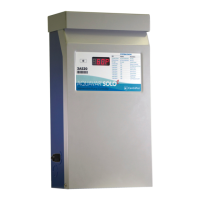







 To Next Page